
READ BLOGS
How Much Does It Cost to Build a Mobile App in 2026? A Practical Cost Breakdown
Most people planning an app want to know the cost before anything else. However, the answer to it depends almost entirely on what the app needs to do. Two apps that look alike can end up with very different budgets once you factor in features, backend work and platforms. A mobile app development cost calculator gives you a rough starting figure, and this guide explains what sits behind it.
Typical App Development Costs in 2026
Globally, a simple app tends to start at around $8,000, and complex products often cost more than $100,000. Rates in India are lower, and with an Indian development team you can expect something close to this:
- Simple MVP: ₹4–10 lakh
- Medium-complexity app: ₹10–30 lakh
- Complex application: ₹30 lakh–₹1 crore
- Enterprise platform: ₹1 crore and above
Treat these as planning ranges rather than fixed prices.
What Drives the Cost Up?
Complexity has the biggest effect. A five-screen restaurant menu app needs little more than content and navigation. A food delivery app has to track riders in real time, take payments and give customers, restaurants and riders their own versions of the app.
Features add up quickly. Logins, notifications, maps and chat each take time to build and test, and anything that updates in real time needs a more capable backend. AI features also bring ongoing API charges and extra security work.
How Much Should You Set Aside for Design?
Design is often underestimated. Before any screens are drawn, a designer works out how people will move through the app, then turns that into wireframes and a clickable prototype you can try out.
The more user roles your app has, the more design work it needs. A booking app used by customers, service providers and an admin team is really three journeys to plan. Getting this right early costs less than reworking the app after launch.
Should You Build for Android or iOS First?
Launching on one platform keeps the first version smaller and more affordable. Which one depends on who your users are. Android dominates the Indian smartphone market, so apps aimed at Indian consumers usually start there. But iOS users spend more per head, so subscription and purchase apps often start there instead. What you want to avoid is splitting a tight budget across both.
Is Cross-Platform Development Inexpensive?
It often is. With Flutter or React Native, one codebase runs on both iOS and Android, so your team isn’t building the same features twice. Buildnetic develops with both frameworks.
Native development still makes sense for some projects, particularly apps that need high performance or rely on device hardware like AR or advanced camera functions.
What’s Included in Custom App Development?
A full project normally runs from planning and design through development, backend and database work, testing and launch, with maintenance afterwards. How much of each you need depends on the product. An appointment booking app can get by with a light backend, while a marketplace needs payments, vendor accounts and admin dashboards.
Buildnetic offers custom mobile app development for iOS, Android and cross-platform projects.
Keeping Costs Under Control
Start small. An MVP that does one job well will teach you more about your users than a feature-packed first release, and you can add the rest once you know what people actually use.
Before you sign up for custom mobile app development services, get the scope in writing, including platforms, integrations, user roles and post-launch support. It also makes quotes far easier to compare, since everyone is pricing the same thing.
Costs That Continue After Launch
Once the app is live, you’ll still be paying for hosting, third-party services, monitoring, security updates and new features. There are store fees too. Apple charges $99 a year for its Developer Program, and Google Play has a one-time $25 registration fee. It’s worth keeping these separate from the build cost in your contract.
FAQs
How accurate is a mobile app development cost calculator?
Accurate enough for early planning. The more detail you put in, the closer the estimate gets, though a proper discovery session is what gives you a figure you can budget against.
How much does an MVP cost in 2026?
With an Indian team, most simple MVPs cost between ₹4 and 10 lakh.
Does maintenance cost extra?
Yes. Many businesses budget around 15–20% of the original development cost each year for bug fixes, updates and hosting.
How long does it take to build an app?
Simple apps usually take 2 to 4 months. Larger products with custom backends can take six months or more.

iOS, Android, or Cross-Platform: Which App Development Approach Is Right for Your Business?
Most people think the hardest part of building an app is the design or the code. Well, that’s not the most difficult aspect. The harder part comes earlier, when you decide whether your app should run on iPhone, Android or both. Choose well and everything after that gets easier. Here’s how to make the right call.
What’s the Difference Between Native and Cross-Platform Apps?
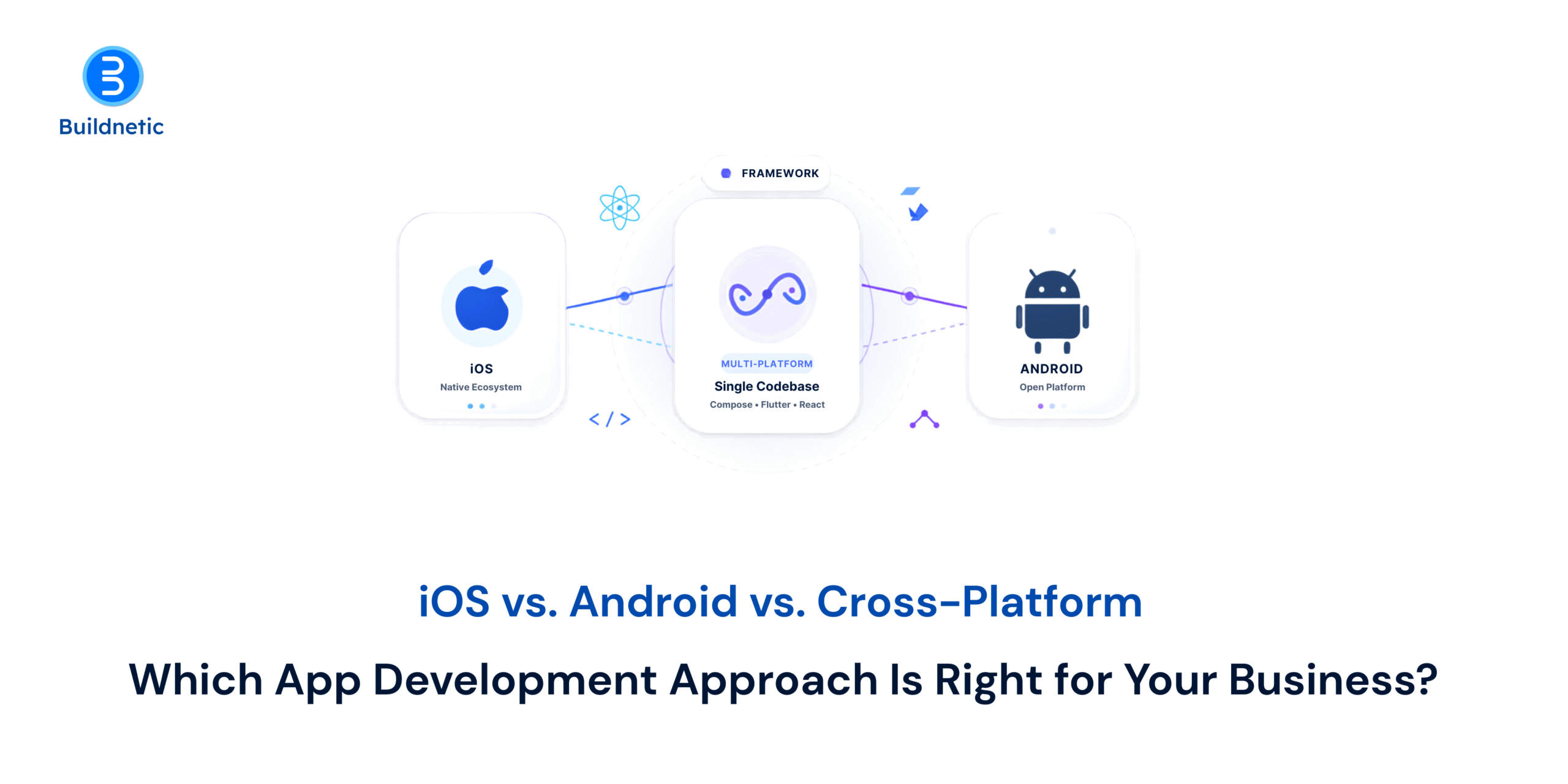
A native app is made for one type of phone only. iPhone apps are usually written in a language called Swift, and Android apps in Kotlin. They run smoothly and can use every phone feature, but you’ll have two separate apps to build and look after.
A cross-platform app is written once and works on both iPhone and Android. Most teams use Flutter or React Native, and the apps feel just like regular phone apps. Ionic, which uses website technology, is better suited to simple apps.
Even with a cross-platform app, some codes may need to be written separately for each phone. This usually applies to features like Bluetooth, advanced camera settings or tasks that run while the app is closed.
Check Your Audience Before Picking iOS or Android
Your website data can save you a lot of guesswork. Google Analytics shows which phones your visitors use, and this often points you to the right place to start.
When to Build Your App for iPhone First
This makes sense when most of your customers own an iPhone, or when your app needs to connect closely with other Apple products. A fitness app that links to Apple Health and the Apple Watch is much easier to build in Swift.
In the US and UK, iPhone users tend to spend more on apps and subscriptions. That’s why many subscription businesses launch there first. Just plan for Apple’s review process, as every update is checked before it goes live.
When Android Should Be Your First Choice
Android phones come from many brands, like Samsung, Xiaomi and OnePlus. In countries like India, most people own one. If your customers are mainly there, Android is usually the best place to start.
A native Android app also makes sense when it needs to work with special hardware. Think of a delivery company whose drivers scan parcels with handheld barcode scanners. Kotlin gives you better control over devices like these.
With so many Android phones out there, testing matters more. Check your app on the models your customers actually use, including older and budget phones. This helps you avoid crashes and layout issues after launch.
When a Cross-Platform App Makes More Sense
If your app works the same way on iPhone and Android, one shared app is often the sensible option. Booking apps, customer portals, staff tools and online shops usually fit well. It is a preferred choice by startups as they can launch on both app stores quickly.
Many apps actually use a mix of both. A banking app, for example, might build most of its screens in React Native. But features like fingerprint login and security checks are often written separately for iPhone and Android. This gives them extra speed and protection where it matters most. So when you hire cross-platform mobile app developers, make sure they can also write native code for each phone.
Planning Your App for Future Growth
Your first version is only the start. If you plan to add features like offline access or advanced graphics later, mention them to your developers early. This helps them choose a setup that won’t need rebuilding down the line. It’s also wise to set aside a budget for regular updates. Apple and Google release new phone software every year, and your app will need to keep up.
How Buildnetic Can Help With Your App
Buildnetic builds iPhone apps in Swift, Android apps in Kotlin, and cross-platform apps with Flutter, React Native and Ionic. It also offers custom application development and dedicated developers for ongoing work.
FAQs
Should I build for iOS or Android first?
Start where most of your customers are. Your website data and sales figures will usually make this clear.
Is cross-platform development cheaper than native?
Usually, yes, because there is only one app to build and update. The savings are smaller if your app needs many phone-specific features.
How do I choose an iOS and Android app development company?
Look at apps they have already made for iPhone and Android. Ask how they test on real phones and what support they give after launch. A good company will explain why it recommends one option.
Can a cross-platform app be changed to a native app later?
Yes, but it usually means rebuilding the app. Many businesses do this in stages, starting with the parts that need to run fastest.
From Idea to App: A Complete Guide to Custom Mobile App Development
Every app starts as a simple idea. A faster way to book appointments. An easier way for customers to reorder. A tool that saves your team an hour a day. The challenge is turning that idea into something people actually want to use.
That journey involves decisions about features, design, technology, security, testing and updates. The earlier they are made with care, the less you spend fixing them later.
That is why many businesses choose custom mobile app development services, which build the app around your users, workflows and goals.
Start With the Problem Your Mobile App Needs to Solve
Start by defining the problem the app should solve. Otherwise, features pile up without anyone asking whether they are needed.
Take an appointment booking app. It could include customer profiles, payments, reminders and booking management, but the core goal is still making appointments easier for customers and staff.
Many teams begin with a minimum viable product (MVP), a version with only the essential features. It reaches users sooner, and their feedback guides what comes next.
Understand What Your Users Actually Need From the App
Your users should shape the app. Even a feature-rich app fails if simple tasks feel difficult.
Identify what people will do most often. In a shopping app, that means finding products and checking out quickly.
User experience (UX) planning covers how easy and intuitive an app feels. A prototype, or clickable mock-up, lets you test each journey and spot confusing steps before major development begins.
Choose a Technology That Fits Your App Requirements
A framework’s popularity is not a good reason to choose it. Your app’s requirements are.
There are two main approaches. Native development means building a separate app for each platform in its own language, typically Swift for iOS and Kotlin for Android. Cross-platform development uses a single codebase for both, with frameworks such as Flutter or React Native.
Native apps offer the best performance and deepest access to device features such as the camera, GPS and Bluetooth, which suits something like a fitness app that syncs with a smartwatch. Cross-platform is usually faster and more cost-effective, making it a practical fit for booking platforms, customer portals or ordering apps.
Know When It Makes Sense to Hire Mobile App Developers
If your team has not built an app before, working with an experienced development team makes the technical side far easier to manage.
Developers handle areas that are easy to underestimate. These include architecture, the underlying structure of the app, and integrations, which connect it to systems you already use, such as a CRM or payment gateway. They also manage testing, performance and security.
When you hire mobile app developers, look beyond coding ability. Their understanding of your requirements, communication and approach to problems matter just as much.
Plan for Security and Future Updates From the Beginning
Launch is not the finish line. Apple and Google release major operating system updates every year, and users will request improvements.
Security needs attention throughout development. That includes authentication, which verifies users are who they say they are, often through two-factor login, along with permissions, data encryption and secure connections. A booking app storing customer contact and payment details needs these protections from day one.
A clean, well-organized structure also makes future updates far easier.
How Buildnetic Can Help Bring Your App Idea to Life
At Buildnetic, we build custom software around the specific needs of each business, including mobile applications. Every project starts with understanding your idea, your users and what the app needs to achieve.
We then shape the approach around your product, taking it through development and testing to launch, with room to improve as your business grows.
Frequently Asked Questions
What are custom mobile app development services?
They involve building an app around your specific business needs, users and workflows, rather than adapting a ready-made product.
How should I start a mobile app project?
Define the problem you want to solve, then identify your target users, essential features, platforms and expected business outcome.
Should I develop for Android and iOS?
It depends on your audience, budget and requirements. Cross-platform can cover both cost-effectively.
When should I hire mobile app developers?
Early in the project, when their input can shape technical planning, development, testing and security.
Can I add features after launching the app?
Yes. Most apps evolve through updates based on user feedback and business needs.

How Much Does It Cost to Build a Mobile App? A Realistic Breakdown
Ask three development firms what your app will cost and you can easily get three quotes that are miles apart. That’s not because someone is trying it on. It’s because “mobile app” covers everything from a six-screen booking tool to a marketplace with payments, live tracking and four different types of user login.
So before you set a budget, it helps to understand what actually sits behind the number. Not just the total, but which parts of your idea are driving it, because that’s what decides whether your budget survives contact with the real build.
Here’s the breakdown.
How Much Does It Cost to Build a Mobile App?
The range here is vast. On one end, you’ve got a lean MVP with a handful of screens and basic backend needs. On the other, a full enterprise product with payments, live tracking, several user roles, AI features, and a tangle of integrations. Naturally, the second one takes a lot more work.
One thing worth keeping in mind: adding more features doesn’t always bump up the price in a way you’d expect. Sometimes something that looks small on paper turns into a real headache, needing heavy backend work, security testing, and a handful of third-party services nobody planned for at the start.
Online payments are a good example. It’s never just “add a pay button.” Someone still has to build out the transaction flow, handle authentication, manage failed payments, lock down security, set up confirmations, and wire up all the backend logic behind it.
What Factors Affect Mobile App Development Cost?
Most of the cost really comes down to the usual suspects: how complex the app is, which platforms you’re building for, the UI/UX work involved, backend needs, integrations, testing, and where your dev team is based and how much experience they’ve got.
Platform choice matters more than people expect. Building native apps separately for iOS and Android usually takes more dev time and testing than a cross-platform build. That said, picking a framework just because it looks affordable on paper can become an expensive choice in the long run, if the app later needs something platform-specific that framework can’t handle well.
User roles are another thing to plan around early. An app serving customers, vendors, delivery staff, and admins all at once means separate workflows, permissions, dashboards, and test scenarios for each group, and that adds up quickly.
Which Features Increase App Development Costs?
Some features just cost more than others, plain and simple. Real-time location tracking, video calling, chat, subscriptions, payment gateways, advanced search, recommendation engines, AI capabilities, third-party API integrations, these are the ones that really drive up the effort and the price tag.
Security is worth calling out separately here. It shouldn’t be an afterthought bolted on near launch. Any app dealing with personal data, financial transactions, or sensitive business information needs stronger authentication, encryption, access controls, ongoing monitoring, and more thorough testing from the start.
Are There Hidden Costs After App Development?
Here’s something a lot of people underestimate: the money you spend building the app isn’t the whole story of owning it.
Even after launch, the costs don’t just stop there. You’re still paying for cloud hosting, database services, third-party API fees, app store fees, monitoring, security patches, bug fixes, analytics, and whatever comes out of real user feedback down the line. Maintenance tends to be the one that sneaks up on people though, since operating systems, devices, libraries, and outside services keep changing long after your app’s already out in the world.
Planning for these costs upfront just makes for a far more realistic picture of what you’re actually signing up for.
How Can You Reduce Mobile App Development Costs?
Chasing the developer who quoted the lowest price in the market, isn’t usually the smart move here. Controlling scope is.
Start by getting clear on the actual problem your app is solving, then figure out the bare minimum feature set needed for a first release. Anything beyond that can wait until real users tell you what they actually want.
Cross-platform development is another good lever, when it fits the product. It can cut down on duplicated work across iOS and Android, though whether it’s the right call still depends on your performance needs and any platform-specific features you can’t skip.
And when it’s time to hire mobile app developers, don’t just look at the hourly rate. Pay attention to whether they actually understand your product, how well they estimate scope, how clearly they communicate, and whether what they build can scale with you down the road.
Work Out Your Scope Before You Ask for Quotes
All of the above only becomes useful once you’ve written your own requirements down. Get your platforms, key features, user types, integrations, expected screen count and any special requirements on paper first.
With that in hand, you can compare development proposals properly. Instead of wondering why one quote is higher than another, you can point to exactly which part of the scope explains the gap.
That’s the real value of doing this work early. Not the number itself, but knowing your own scope well enough to spot when a quote has misread it, or when the feature you assumed was minor is the one driving the price.
If you’d like help putting that picture together, talk to the team at Buildnetic. We’ll go through your feature list, flag the parts that usually cost more than people expect, and give you a realistic range before you start collecting proposals. If the honest answer is that your first version should be smaller, we’ll tell you that too.
FAQs
How accurate are online app cost estimates?
They give you a realistic range rather than a fixed price. Estimates are most accurate when your requirements are already clear, and least accurate when your features are still vague. The final figure depends on your actual scope, the technical architecture, the integrations you need, and the design and testing the build calls for. Treat any early estimate as a planning number and expect a detailed proposal to move it in one direction or the other.
What is the biggest factor affecting app development cost?
Complexity, more often than not. Features tied to payments, real-time communication, location services, AI, multiple user roles, or custom backend systems tend to demand a lot more development work.
Should I build for iOS and Android at the same time?
Depends on your audience and budget. Cross-platform development works well when you want to reach both platforms without doubling the effort, while native development makes more sense when platform-specific performance or functionality really matters.
How can I get a more accurate app development estimate?
Put together a feature list, decide on your target platforms, describe your user types, and outline the integrations you’ll need. From there, a development team can turn that into a much more detailed scope and estimate.
iOS and Android App Development Company: What Should Businesses Check Before Signing a Contract?
Most app contracts get read once, quickly, by someone who is mainly looking at the price and the delivery date. That’s understandable. It’s also where a lot of expensive trouble starts.
Apps have a few problems, websites don’t. Two app stores with their own rules sit between you and your customers. Apple and Google both release big updates every year. And there’s a file called a signing key that, if you lose it, means you can never update your Android app again. Ever. You’d have to publish a new one and ask every user to download it from scratch.
None of that is in the standard contract template. So before you sign with any iOS and Android app development company, here’s what to look for and what to ask them to add.
Is the Platform Decision Written Down, Along With the Reasoning?
The contract should say what’s being built and how. One codebase serving both stores, or two separate apps built natively for iOS and Android.
Both approaches are fine. Cross-platform tools like Flutter and React Native usually cost less and get you to both stores faster, which is why most business apps are built that way now. Native builds make more sense when you need heavy graphics, tight performance or deep access to phone hardware. What matters is that somebody made an actual decision rather than defaulting to whatever the team already knows.
Ask them to explain the choice in plain terms. If you’re quoting several firms, some will propose cross-platform mobile app developers and others will push native, and the prices won’t be comparable until you understand why each one chose what they chose.
Who Owns the Store Accounts and the Signing Keys?
This is the one that causes real damage, and it’s usually missing from the contract entirely.
Your Apple Developer account and your Google Play Console account should be registered to your company, paid for on your card, with your developer added as a user. Not the other way round. If the app sits in their account, you can’t move it easily, and getting it transferred later depends entirely on their goodwill.
The same goes for the signing keys, along with any push notification certificates. These are the files that prove to Apple and Google that an update genuinely comes from you. Ask for them to be handed over, in writing, and store a copy somewhere your business controls. A developer who shrugs at this question hasn’t been burned yet, which isn’t reassuring.
What Exactly Counts as Finished?
“Delivery of the application” means very little on its own. Finished should mean the app is live in both stores and working, not that the code has been emailed to you.
Get acceptance criteria written down. A list of what the app must do, on which phones and which operating system versions, for you to sign it off. Include the devices your customers actually use. If a good chunk of your audience is on older, cheaper Android phones, put that in the document, because an app tested only on recent flagships will disappoint them.
Tie your final payment to that milestone rather than to a date. Dates slip for all sorts of reasons. Working software in the store is a much harder thing to argue about.
Who Deals with the App Stores, Including Rejections?
Which raises the next question, because getting into the stores isn’t guaranteed.
Apple reviews every app and every update, and rejections are routine. Common reasons include missing privacy details, sign-in requirements, payment rules and features the reviewer thinks are too thin. Google’s process is lighter but still catches plenty.
The contract should say who prepares and submits the store listing, who responds to reviewers, and importantly, who pays for the rework when a rejection means changing something. If that isn’t stated, you’ll be having the argument at the worst possible moment, with a launch date already promised to your customers.
What Happens When iOS and Android Update?
Every September or so, Apple ships a new version of iOS. Google does the same with Android. Things break. A login screen or a camera feature that worked fine last month stops working, and your reviews take the hit before anyone on your side notices.
Ask what happens then. Is there a warranty period where bugs get fixed free, and how long is it? Ninety days is common, but check whether an operating system update counts as a bug or as new chargeable work, because those are very different answers. Then ask what ongoing maintenance costs per month, and how quickly they respond when something breaks.
An app is not a one-off purchase. If nobody has mentioned ongoing costs by the time you’re reading the contract, that’s the question to ask before you sign it.
What Third-Party Code is in There, and Who Pays for It?
Modern apps are built partly from other people’s components. Analytics, crash reporting, maps, payments, chat, push notifications. Most are fine. Some carry licence conditions, and some carry monthly fees that grow with your user numbers.
Ask for a list of every third-party service the app will depend on, what it costs, and whose account it sits in. Accounts in your name, with your card. You want to know now if your app quietly depends on a service that charges more once you pass ten thousand users.
Who Handles Privacy, Permissions and the Store Forms?
Both stores make you declare what data your app collects. Apple calls them privacy labels, Google calls it the data safety form. Get them wrong and you get rejected, or worse, you end up making a public statement about your data handling that isn’t accurate.
Depending on where your customers are, you may also have obligations under GDPR in Europe or India’s data protection rules. The contract should say who drafts the privacy policy, who completes the store declarations, and who is responsible if the app collects something it shouldn’t. Most developers will help with the forms. Very few will take legal responsibility for them, and you should know which you’re getting.
What Happens if it All Goes Wrong?
Finally, the part nobody enjoys discussing in a first meeting.
Link payments to milestones rather than the calendar, so you’re never far ahead of the work. Make sure the contract says the source code, the design files and the documentation become yours once paid for, and that the code lives in a repository owned by your business throughout, not just at the end. Check the notice period, and check what a handover actually involves if you part ways halfway through.
A good iOS and Android app development company won’t flinch at any of this. They’ve been on the wrong end of a messy handover too and would rather it was written down.
Two Things to Sort Before You Sign
Ask where the app store accounts will be registered, and ask what happens when iOS and Android release their next big update. Those two answers will tell you more about how a firm works than the rest of the proposal combined.
If you want someone to look over a contract or a proposal before you commit, get in touch with our team. We’re happy to point out what’s missing, even if you end up going with someone else.
FAQs
What should be included in a mobile app development contract?
At minimum: what’s being built and on which platforms, acceptance criteria including test devices and operating system versions, who owns the code and design files, who holds the store accounts and signing keys, payment tied to milestones, a warranty period for bugs, ongoing maintenance terms, and what happens if either side wants to end the agreement.
Who owns the app and the source code?
Whoever the contract says owns it. Many templates leave ownership with the developer by default, and in some countries that’s the legal starting point unless the agreement says otherwise. Make sure yours clearly transfers all rights to your business on final payment, including design files and any custom artwork.
Should we build native or use cross-platform mobile app developers?
Cross-platform suits most business apps. One codebase covers both stores, which usually means lower cost and a faster launch. Native is the better choice for games, apps that lean heavily on the camera or sensors, or anything where performance is the product. Ask any firm to justify their recommendation against your specific requirements rather than in general.
Who should own the Apple and Google developer accounts?
Your business, always. Register both accounts in the company name, pay with a company card, and add your developer as a user with the access they need. Moving an app out of someone else’s account later is possible but slow, and it depends on their cooperation at a point when you may not have much.
What happens if the app gets rejected by the App Store?
Rejections are normal and usually fixable within a few days. The thing to settle in advance is who handles the response and who pays for any changes. If the rejection is down to how the app was built, it should sit with the developer. If it’s down to your business model or your content, it will sit with you. Write that split into the contract rather than assuming it.
Before You Hire Web Developers: 9 Questions That Can Save Your Business From a Costly Build
Most expensive software projects don’t fail because the developers were bad. They fail because nobody asked a few awkward questions at the start, when changing course was still an affordable choice.
You’ve probably seen a version of it. The “simple” website that needed a booking system halfway through. The app that worked perfectly on the founder’s iPhone and crashed on every Android phone in the office. The agency that went quiet the week after the final invoice, taking the only copy of the code with them.
None of that is bad luck. Every one of those problems could have been caught with a question asked before anyone wrote a line of code. So before you hire web developers, here are the nine worth asking, starting with the ones you need to ask yourself.
1. What Problem is this Actually Solving?
“We need a new website” isn’t a problem. It’s a solution someone has already picked.
Try to write the real problem in one plain sentence. “Customers keep calling to check order status because they can’t see it online.” “Our sales team spends two hours a day copying leads between spreadsheets.” If you can write that sentence, you’ve got a project. If you can’t, you’ve got a wish list, and wish lists turn into long, expensive builds that never quite feel finished.
That one sentence also becomes your filter for every feature request later on. Does this help solve the problem? No? Then it can wait.
2. Do You Need Something Custom at All?
Once you know the problem, check whether someone has already solved it.
A lot of businesses pay for custom builds when Shopify, WordPress or a decent off-the-shelf tool would do 90% of the job for a fraction of the cost. Custom makes sense when your process is genuinely different from everyone else’s, when you need to connect systems that don’t normally talk to each other, or when the software itself is what you sell.
The same goes for apps. Custom mobile app development services are worth paying for when people will use the thing often, need it to work offline, or need phone features like the camera, GPS or notifications. If customers will open it twice a year to check the price, a mobile-friendly website will do the job and save you a lot of money.
A good developer will tell you this. If the first person you talk to jumps straight to a full custom build without asking about alternatives, that tells you something.
3. Who Writes the Spec, and What Happens When it’s Wrong?
The next question is how the work gets defined.
Someone has to write down what’s being built. Screens, features, what happens when a user clicks each button. If you write it, gaps you didn’t think of become your problem. If the developer writes it, check it properly before signing, because whatever’s in that document is what you’ll get.
And the spec will be wrong somewhere. It always is. So ask how changes are handled. On a fixed-price deal, every change becomes a new quote, which is fine until you’re on your twelfth one. On a time-and-materials deal, changes are easy but the budget can drift. Neither is wrong. You just need to know which one you’re signing up for and how change requests get priced.
4. Who Will Actually Be Doing the Work?
Here’s something that happens all the time. You meet a sharp, senior developer in the sales meeting. Then the project starts and you never see them again, because the actual work has gone to someone with eight months’ experience.
Ask straight out: who will write the code, and can I speak to them before we sign? Ask how long they’ve been with the company, and whether they’ll stay on your project until it’s done or get moved elsewhere halfway through. Team changes mid-build cost weeks, because the new person has to learn everything the old person knew.
5. Who Owns the Code, and Where Does it Live?
This one gets missed more than any other, and it’s the most painful to fix later.
The code should sit in a repository that you own, like a GitHub or GitLab account in your company’s name, with the developer given access. Not in their account with you given access. Same with hosting, domain names, app store accounts and any paid services the project runs on. All of it should be in your name, with your login.
Check the contract says you own the code once it’s paid for. Plenty of small agencies keep ownership by default, not because they’re dodgy, but because nobody changed the template. You don’t want to find that out on the day you try to move to someone else.
6. How Will You Know It’s Going Well Before It’s Finished?
Once the build starts, the biggest risk is silence. Three months of “it’s coming along” and then a big reveal that isn’t what you pictured.
Ask how often you’ll see working software. Not screenshots or progress reports. Something you can click on. Every two weeks is a sensible rhythm. You should also get a test link, usually called a staging site, where you can try things out yourself whenever you want.
Seeing it early means spotting problems early, when they cost an afternoon to fix instead of a month.
7. Who’s Testing it, and On What?
Related to that: who checks it actually works?
Developers test their own code, but they test it the way they built it, which means they miss the things real people do. Ask whether there’s a separate tester, and what devices and browsers they check on. If most of your customers use cheaper Android phones, it doesn’t matter how good the app looks on a new iPhone.
Get a handful of real users to try it before launch too. Watching someone who’s never seen the thing try to use it will show you more problems in ten minutes than a month of internal review.
8. What Happens After Launch?
Launch day feels like the finish line. It’s closer to the start.
Every website and app needs looking after. Security updates, bug fixes, hosting, and for apps, keeping up with new versions of iOS and Android. Apple and Google release updates every year, and those updates break things. A login screen that worked fine in September can stop working in October with no warning.
Ask what support looks like after the launch. Is there a warranty period for bugs? What does ongoing maintenance cost per month? How fast will they respond if the site goes down on a Saturday? A common rule of thumb is to budget somewhere around 15 to 20% of the original build cost every year for upkeep. If nobody mentions ongoing costs at all, ask why.
9. What Will This Really Cost?
Which brings us to the number that matters.
The developer’s quote isn’t the full cost of the project. You’ll also need to pay for design if it’s not included, content and photos, third-party tools and integrations, hosting, app store fees, testing, and the ongoing maintenance from the last question. Then there’s your own team’s time, which almost nobody counts. Someone on your side will spend hours every week answering questions, checking work and making decisions.
Add all of that up before you commit. If the real total makes you nervous, it’s much better to know now, when you can still cut features, than halfway through when you can’t.
Before You Sign Anything
If you only take one thing from this, make it the first question. Write down the problem in one sentence. Most of the other eight get easier once that’s clear, and a surprising number of projects get smaller, cheaper or cancelled altogether at that stage. That’s a good outcome, not a bad one.
If you’d like a second pair of eyes before you commit, talk to our team. We’ll go through what you’re planning and tell you honestly if an off-the-shelf tool would do the job instead. If it does need building, you can see how we approach web development and mobile app development projects.
FAQs
How much does it cost to hire web developers for a business project?
It depends mostly on what you’re building, not who builds it. A standard business website on WordPress or Shopify is a very different job from a custom web app with logins, payments and integrations. Most developers charge either a fixed project fee or an hourly or monthly rate. Get at least three quotes for the same written spec so you’re comparing like with like.
Should I hire a freelancer, an agency, or dedicated developers?
A freelancer suits small, well-defined jobs with a clear finish line. An agency suits projects that need design, development and testing together, managed for you. Dedicated developers, where you hire people who work only on your project, suit longer builds where you want control over priorities without the cost of hiring staff directly.
How long does it take to build a custom website or app?
A straightforward business website usually takes a few weeks. A custom web application or mobile app typically takes three to six months for a first version, depending on how many features it has and how quickly decisions get made on your side. Slow feedback from the client is one of the most common reasons projects run late.
Do I need a mobile app or will a mobile-friendly website do?
A mobile-friendly website is enough for most businesses. Custom mobile app development services make sense when customers will use it often, need it to work offline, or need phone features like notifications, the camera or location. If people will only use it occasionally, a website is cheaper to build, cheaper to maintain and easier for people to find.
Who owns the code when I hire an outside developer?
Only whoever the contract says owns it. Many templates leave ownership with the developer by default. Make sure the agreement clearly transfers the code to you once it’s paid for, and that the code, hosting and domain all sit in accounts registered to your business.
-
 22 May 2025The Future of Angular App Development: Trends to Watch in 2024
 -
 30 Jul 2025Why Hiring Dedicated Developers is Smarter Than Outsourcing in 2025
 -
 22 May 2025Hire Dedicated Laravel Developers: A Comprehensive Guide
 -
 22 May 2025Fortress of Security: Top Cyber Security Services in the UK
 -
 10 Nov 2025Unlocking Java: Revolutionizing Business Agility in 2025
Fortress of Security: Top Cyber Security Services in the UK
In today’s digital landscape, the need for robust Cyber Security Services in the UK has never been more critical. As businesses and individuals increasingly rely on technology for their daily operations and personal lives, the threat landscape continues to evolve and expand. This article explores the importance of cyber security and highlights some of the top services available in the UK to protect against digital threats.
The rising tide of cyber threats has made Cyber Security Services in the UK an essential component of any organization’s IT strategy. From small businesses to large corporations, and educational institutions to government agencies, no entity is immune to the risks posed by cybercriminals. The UK’s National Cyber Security Centre (NCSC) reports a steady increase in cyber attacks year over year, emphasizing the need for comprehensive security measures.
Key Cyber Security Services in the UK include:
- Threat Intelligence and Monitoring –
Proactive services that identify and track potential threats before they can cause harm. - Penetration Testing –
Simulated attacks to identify vulnerabilities in an organization’s digital infrastructure. - Incident Response and Management –
Rapid response teams that can quickly address and mitigate security breaches. - Security Awareness Training –
Educational programs to help employees recognize and avoid potential cyber threats. - Cloud Security –
Specialized services to protect data and applications hosted in cloud environments. - Network Security –
Comprehensive protection for an organization’s digital networks, including firewalls and intrusion detection systems. - Data Protection and Privacy Services –
Ensuring compliance with data protection regulations like GDPR. - Managed Security Services –
Outsourced security operations that provide 24/7 monitoring and protection.
The UK’s cyber security industry is known for its innovation and expertise, with many providers offering cutting-edge technologies such as AI-driven threat detection and blockchain-based security solutions. As cyber threats become more sophisticated, Cyber Security Services in the UK are evolving to meet these challenges head-on.
When selecting a Cyber Security Service in the UK, organizations should consider factors such as the provider’s track record, range of services offered, industry-specific expertise, and ability to scale with the organization’s needs. It’s also crucial to choose a provider that stays abreast of the latest threats and regulatory requirements.
Investing in robust Cyber Security Services in the UK is not just about protecting against immediate threats; it’s about building a resilient digital infrastructure that can support long-term growth and innovation. As the digital landscape continues to evolve, the role of cyber security in safeguarding the UK’s digital future cannot be overstated.
Buildnetic’s Cyber Security Experts!
At Buildnetic, we understand the critical importance of robust cyber security in today’s digital landscape. As a leading provider of Cyber Security Services in the UK, we offer comprehensive solutions designed to protect your organization from the ever-evolving threat landscape.
Our approach to cyber security goes beyond traditional methods. We leverage cutting-edge technologies and human expertise to provide a multi-layered defence strategy. Our advanced tools detect and eliminate 99.98% of threats automatically, allowing our skilled analysts to focus on hunting down the most sophisticated attackers that can only be identified and stopped by human intelligence.
We pride ourselves on our proactive approach to cyber security. Our team doesn’t just react to threats; we anticipate them. We conduct thorough investigations to identify the root causes of security incidents, enabling us to take preventive measures and provide recommendations that significantly reduce the risk to your business. This approach leads to fewer incidents, resulting in less disruption for your IT and security teams, employees, and clients.
Our suite of Cyber Security Services in the UK includes:
- Network Surveillance –
We offer 24/7 network monitoring to ensure your systems are always protected, helping you stay ahead of potential outages and manage network expansions effectively. - Updating and Patching –
We ensure your systems are always up-to-date with the latest security patches, protecting you from vulnerabilities that could lead to devastating attacks like the WannaCry ransomware. - Employee Education –
We provide comprehensive training programs to equip your employees with the knowledge and skills to recognize and prevent cyber threats. - Rapid Issue Resolution –
Our team is equipped to quickly identify and address security threats, minimizing potential risks and downtime.
At Buildnetic, we don’t just offer services; we build partnerships. We work closely with you to understand your unique needs and tailor our Cyber Security Services in the UK to fit your specific requirements. Our team of experts is always available to provide guidance, support, and rapid response when you need it most.
Choose Buildnetic as your cyber security partner, and gain peace of mind knowing that your digital assets are protected by some of the best minds in the industry. Let us be your fortress of security in the digital realm.
The Future of Angular App Development: Trends to Watch in 2024
The Future of Angular App Development: Trends to Watch in 2024
As we approach 2024, the landscape of web development continues to evolve, and Angular remains at the forefront of this transformation. For businesses seeking Angular app development services in the UK, staying abreast of the latest trends is crucial to maintaining a competitive edge.
Let’s explore the key trends that are shaping the future of Angular app development.
- Increased Focus on Performance Optimization –
Performance has always been a priority, but in 2024, it’s becoming even more critical. Angular developers are leveraging new techniques to optimize load times and enhance overall application performance. This includes advanced lazy loading strategies, improved change detection mechanisms, and more efficient rendering processes. - Enhanced Integration with AI and Machine Learning –
Angular applications are increasingly incorporating AI and machine learning capabilities. This trend is enabling more intelligent, responsive, and personalized user experiences. Developers are utilizing Angular’s robust architecture to seamlessly integrate AI-driven features into web applications. - Adoption of Micro Frontends –
The micro frontend architecture is gaining traction in the Angular community. This approach allows teams to develop, test, and deploy parts of their applications independently, leading to more scalable and maintainable codebases. Angular app development services in UK are embracing this trend to build more modular and flexible applications. - Progressive Web Apps (PWAs) Becoming Standard –
PWAs are blurring the line between web and mobile applications. Angular’s support for PWA development is becoming more robust, allowing developers to create web applications that offer native-like experiences across devices. This trend is particularly relevant for businesses looking to provide seamless cross-platform experiences. - Increased Use of Angular Elements –
Angular Elements, which allow Angular components to be used in non-Angular environments, are seeing wider adoption. This trend is fostering greater interoperability and enabling developers to create reusable components that can be shared across different projects and frameworks. - Enhanced Security Features –
With cyber threats evolving, security remains a top priority. Angular is responding with enhanced built-in security features and best practices. Developers are focusing more on implementing robust authentication and authorization mechanisms, as well as protection against common web vulnerabilities. - Serverless Architecture Integration –
The integration of Angular with serverless architectures is becoming more prevalent. This trend is allowing developers to build more scalable and cost-effective applications by leveraging cloud services for backend operations. - Improved Testing Capabilities –
Angular’s testing utilities are becoming more sophisticated, enabling developers to write more comprehensive and efficient tests. This trend is leading to higher quality applications and faster development cycles.
As these trends shape the future of Angular development, businesses seeking Angular app development services in the UK must partner with forward-thinking development teams that are adept at leveraging these emerging technologies and methodologies.
Buildnetic’s Cutting-Edge Angular Development
At Buildnetic, we pride ourselves on staying at the forefront of Angular development trends. As a leading provider of Angular app development services in the UK, we are committed to delivering innovative, high-performance applications that meet the evolving needs of businesses in 2024 and beyond.
Our team of expert Angular developers is well-versed in the latest trends and technologies shaping the future of web development. We leverage our extensive experience and cutting-edge skills to create Angular applications that are not just functional, but also future-proof and scalable.
Key aspects of our Angular development services include:
- Performance-Focused Development –
We employ advanced optimization techniques to ensure your Angular applications are lightning-fast and responsive. - AI and ML Integration –
Our developers are skilled in incorporating AI and machine learning capabilities into Angular applications, creating intelligent and personalized user experiences. - Micro-Frontend Architecture –
We utilize micro-frontend strategies to build modular, maintainable, and scalable applications. - Progressive Web App Expertise –
Our team excels in developing PWAs that offer native-like experiences across all devices. - Custom Angular Elements –
We create reusable Angular components that can be seamlessly integrated into various environments. - Robust Security Implementation –
Security is at the core of our development process, ensuring your applications are protected against modern cyber threats. - Serverless Solutions –
We integrate Angular applications with serverless architectures for enhanced scalability and cost-efficiency. - Comprehensive Testing –
Our rigorous testing processes ensure the highest quality and reliability of your Angular applications.
At Buildnetic, we don’t just build applications; we create solutions that drive business growth. Our client-centric approach, combined with our technical expertise, ensures that we deliver Angular applications that not only meet but exceed your expectations.
Choose Buildnetic for your Angular app development services in the UK, and step into the future of web development with confidence.
-
How Much Does It Cost to Build a Mobile App in 2026? A Practical Cost Breakdown
-
iOS, Android, or Cross-Platform: Which App Development Approach Is Right for Your Business?
-
From Idea to App: A Complete Guide to Custom Mobile App Development
-
How Much Does It Cost to Build a Mobile App? A Realistic Breakdown
-
iOS and Android App Development Company: What Should Businesses Check Before Signing a Contract?
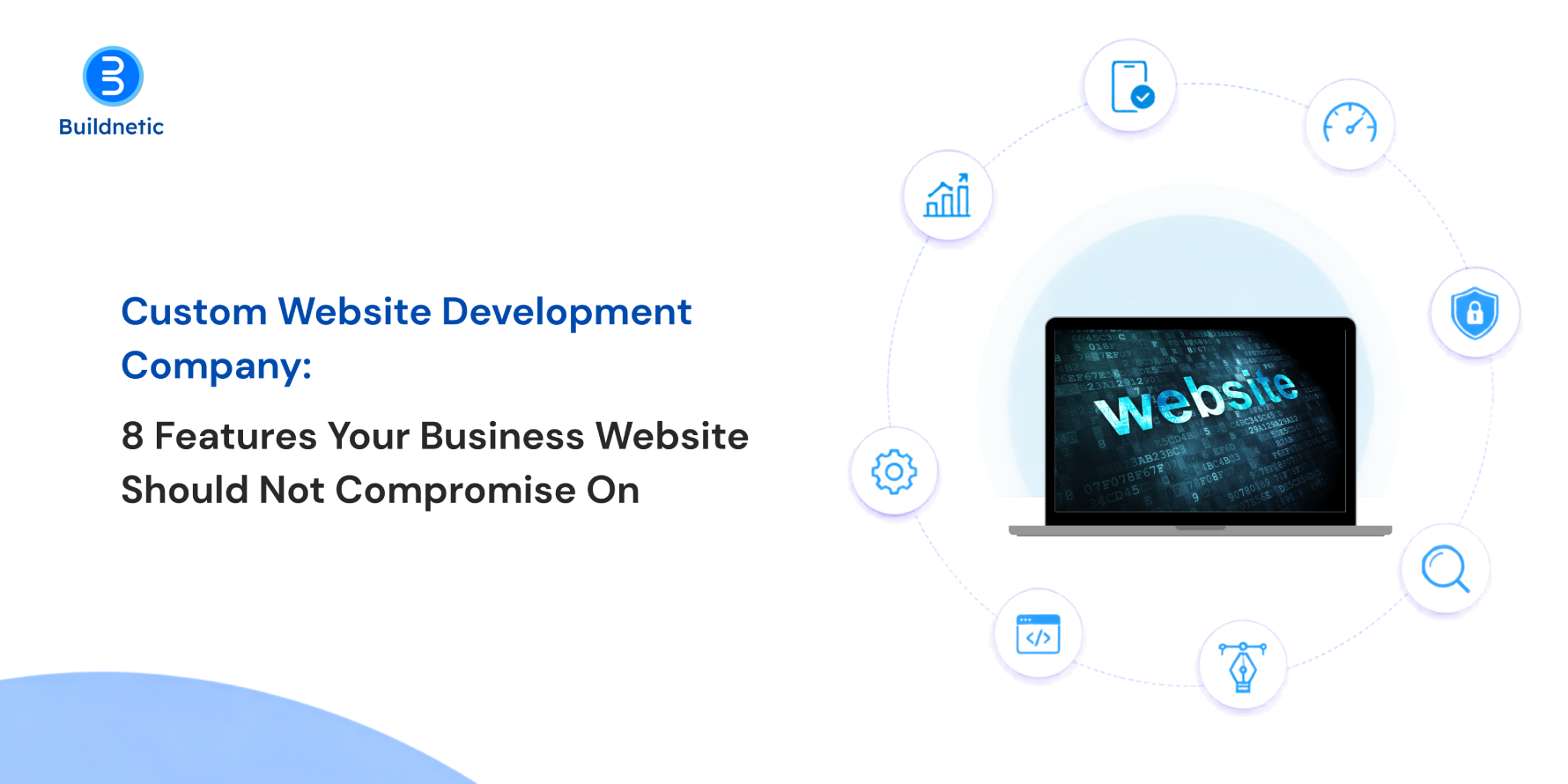
Custom Website Development Company: 8 Features Your Business Website Should Not Compromise On
Here’s the thing about business websites: looking aesthetic is honestly the easy part. What’s harder is building something that actually helps people, they land on your page, find what they came for, feel like they can trust you, and then reach out to your team. And if the site’s slow or confusing, none of that happens. Doesn’t matter how good your offer is.
That’s really why so many businesses end up going with a custom website development company instead of a template. It gives you room to build the site around how your customers actually behave, not the other way round. But custom doesn’t automatically mean good. You still need the fundamentals in place. So let’s get into what those actually are.
Mobile-Friendly Design Across Every Screen
Think about how you browse the internet yourself. Probably on your phone half the time, right? Your customers are no different. Someone might check you out on their phone during a commute and then pull the site up again later on a laptop, and both times it needs to just work.
This is where good responsive web design services earn their keep. It’s not about squishing a desktop layout until it fits a smaller screen, that’s the lazy version. It’s making sure buttons are actually tappable, forms don’t turn into a nightmare on a 6-inch screen, and images don’t take forever to load on mobile data.
Fast Page Loading
People are impatient. A few extra seconds of loading and they’re gone, and you never even get the chance to make your case. Speed isn’t just about that first impression either, it affects how smoothly someone can click around once they’re already on the site.
The biggest gains usually come from a handful of fixes: compressing images, minifying CSS and JavaScript, setting up browser and server caching, and choosing a host that doesn’t cut corners on server resources. And here’s a tip a lot of businesses miss, don’t just test speed on the office Wi-Fi. Try it on an actual mobile connection, maybe even a slow one, because that’s closer to what a lot of your visitors are dealing with.
Simple and Useful Navigation
Nobody’s going digging through six different pages just to find your contact number. If they can’t find it in a few seconds, a good chunk of them will just leave.
Keep your menu labels boring and obvious, services, about, contact, resources. Save the clever wordplay for somewhere else. It also happens to help search engines understand how your pages fit together, so there’s a nice side benefit there too.
Security Built into the Website
You really don’t want to be thinking about security after something’s already gone wrong. It needs to be implemented from the start,such as, protection against outdated plugins, weak logins, malicious scripts, the usual stuff hackers go after.
SSL certificates, secure forms, regular software updates, backups that actually work, access controls, some kind of monitoring in place, none of this is optional anymore. And if you’re handling anyone’s payment details or personal information, the bar needs to go up even further.
SEO-Ready Technical Structure
An aesthetic website can still be completely invisible on Google if the technical side is full of gaps. Search engines need to be able to crawl your pages and actually make sense of them.
That means clean URLs, a logical heading structure, good internal links, an XML sitemap, proper metadata, canonical tags sorted out, all of it. Get this right while you’re building the site, not six months later when you’re paying someone to sort it out.
Clear Conversion Opportunities
Not everyone who shows interest is ready to make a purchase immediately. Some just want a quote. Some want more information. Some are still deciding if you’re even the right fit.
Give people an easy next step at every stage, whether that’s a quick enquiry, a pricing request, or a call. The trick is knowing when to ask. Pop up too often and it starts to feel pushy, so let your calls to action show up where they actually make sense.”
Easy Content Management
Businesses change. Services get added, old ones get dropped, prices shift, and someone needs to be able to update the site without calling a developer every single time.
A decent CMS lets your team handle the small stuff themselves. Before picking one though, it’s worth thinking about who’s actually going to be logging in and making changes, and how much the site is likely to grow over the next year or two.
Analytics and Future Scalability
Your site should be telling you what’s really happening, not what you’re guessing is happening. Which pages people spend time on, where they bail, what actually leads to an inquiry, all of that’s sitting in your analytics if you’re paying attention.
That data should be shaping your decisions, not just sitting there unused. And the site itself needs enough flexibility to grow with you, new services, new pages, new integrations, whatever comes next.
Good choice. Here’s the full conclusion under that heading, with the first paragraph tweaked slightly so it echoes “basics”:
Get the Basics Right, and the Rest Follows
A good business website isn’t built on design alone. The real work happens behind the scenes: fast-loading pages, clear menus, solid security, and a structure Google can actually read. Get those right and everything else, from design to conversions, has something solid to stand on.
So when you’re talking to a custom website development company, look past the portfolio. Ask how they handle mobile performance, security, SEO and analytics, and what support looks like after launch. A website isn’t finished the day it goes live. It needs looking after as your business grows.
That’s how Buildnetic approaches every project. We start by understanding your business and your customers, then build a site that fits them, not a one-size-fits-all package. If you’re planning a new website or rethinking the one you have, let’s talk.”
FAQs
- Why is custom website development useful for businesses?
A custom website is built around how your business works and how your customers behave. That means better performance, tighter security, and room to add new features as you grow, without being boxed in by a template. - What makes a website responsive?
A responsive website uses flexible layouts, scalable images, and CSS media queries to adjust automatically to any screen size, whether that’s a phone, tablet, or desktop. The content stays easy to read, buttons stay easy to tap, and menus adapt so visitors don’t have to pinch, zoom, or scroll sideways. - Should SEO be considered during development?
Yes, SEO should be part of the build from day one. Things like URL structure, heading hierarchy, internal linking, page speed, and XML sitemaps are much easier to get right during development than to fix after launch, when changes can mean redirects, lost rankings, and extra cost. - How can businesses improve website performance?
Start by running your site through tools like Google PageSpeed Insights to see how it scores on Core Web Vitals. From there, the usual fixes are compressing images, removing unused code and scripts, enabling caching, using a CDN, and choosing reliable hosting. Performance changes as you add content, so it’s worth checking regularly. - How often should a business website be reviewed?
A quick check on speed, security updates, and backups should happen monthly, with a deeper review of content, SEO, and analytics every quarter. A full audit once a year helps you spot bigger issues and decide whether the site still fits where your business is heading.
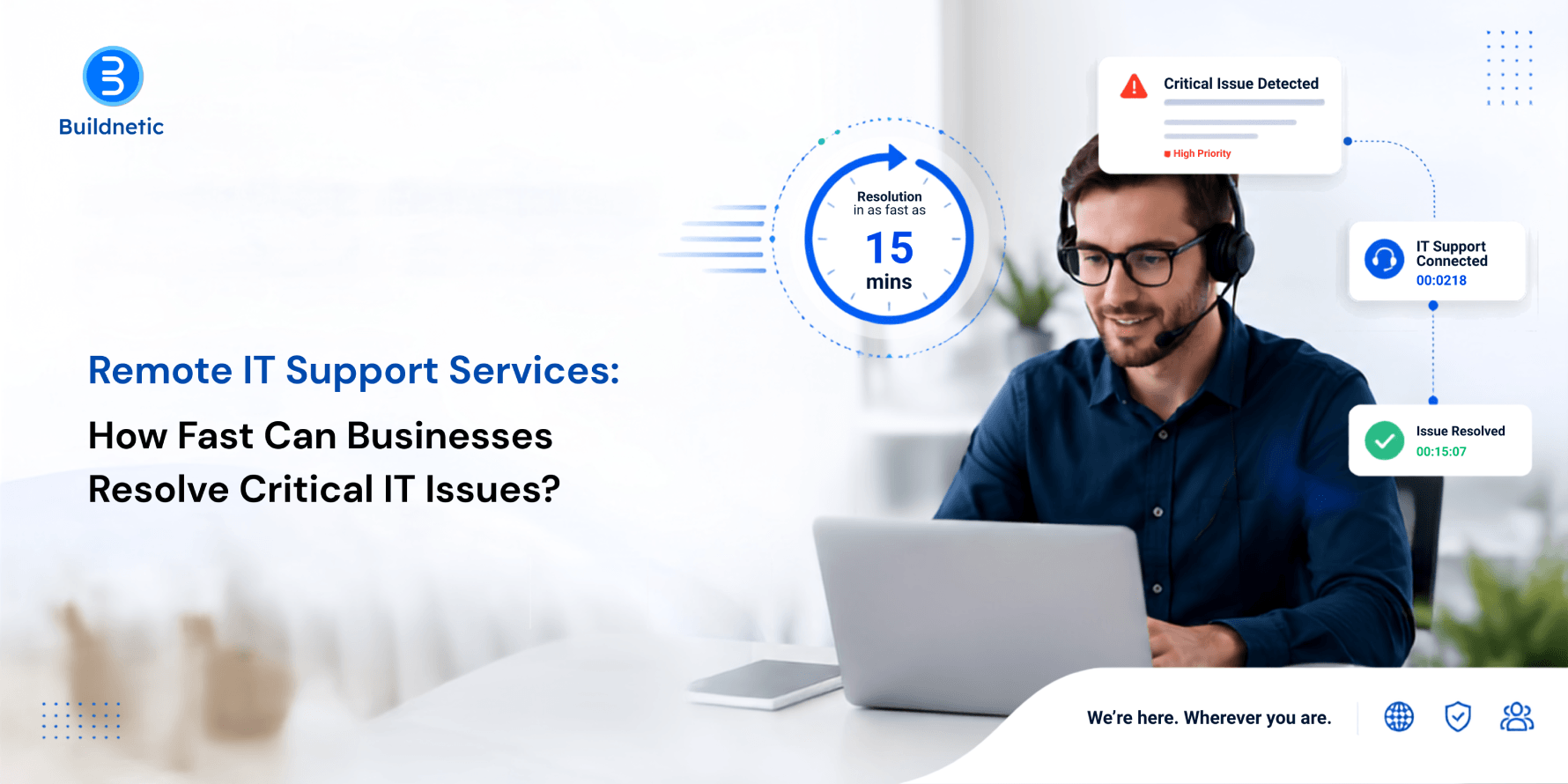
Remote IT Support Services: How Fast Can Businesses Resolve Critical IT Issues?
When something critical breaks at your IT side, every minute you lose adds up. A server going down, an app your team can’t get into, a network outage, a security scare, any of these can bring work to a halt for employees and disrupt things for customers too. If your business runs on technology (and who doesn’t, these days), sitting around waiting for someone to physically show up isn’t always an option.
This is exactly where remote IT support earns its keep. Technicians can log in from wherever they are, dig into what’s gone wrong, and in a lot of cases get things back up without ever stepping foot in your office.
How Quickly Can Remote IT Support Resolve IT Problems?
Honestly, it depends on what you’re dealing with. A forgotten password or a misconfigured setting? That could be sorted in minutes. A serious network failure or a server that’s gone down hard? That’s going to need more digging.
The advantage of remote support is that technicians can start the moment you report an issue, no travel time, no waiting around. They get into your systems securely, pull up logs, check configurations, restart whatever needs restarting, and troubleshoot connected devices, all without needing to be in the room.
For a business, that gap between “something’s wrong” and “someone’s actually fixing it” shrinks considerably.
Which IT Problems Can Be Fixed Remotely?
Not everything needs a technician standing at your desk. A surprising number of everyday IT headaches can be handled entirely from a distance, including:
- Software errors and application failures
- Email and account access problems
- Printer and device configuration issues
- Network connectivity problems
- Operating system errors
- Server and cloud application issues
- User access and permission problems
- Routine security and system updates
Remote troubleshooting really shows its value when several people run into the same problem at once. Rather than going desk to desk, an IT team can trace it back to the source and fix it there.
When Does an IT Issue Require Onsite Support?
That said, remote support has its limits. Hardware that’s physically failed, damaged equipment, cabling issues, certain network problems tied to physical infrastructure, these usually need someone on site.
But even then, a remote diagnosis first can be worthwhile. A technician can figure out whether a visit is actually necessary, get a good sense of what the problem likely is, and make sure whoever shows up onsite already knows what they’re walking into and what to bring.
That alone can cut down on wasted trips and speed up the whole process.
How Does Remote IT Support Help During Cybersecurity Incidents?
When a business suspects it’s dealing with a cyberattack, speed matters more than almost anything else. An infected device, a compromised account, strange activity on the network, none of that can wait for the next scheduled IT check-in.
Remote technicians can jump in to isolate the affected devices, lock down compromised accounts, apply security controls, dig into what’s actually happening, and start the recovery process. Many businesses pair this with dedicated cybersecurity services for enterprises, layering on stronger monitoring, threat detection, and access controls so incident response is faster too.
The goal isn’t just getting systems back online. It’s making sure the same weak spot doesn’t cause the same problem again.
What Makes Remote IT Support Effective?
Being fast doesn’t count for much if nobody’s actually figured out what’s wrong first. That’s the real issue. A support setup that works usually has a few things going for it, tickets don’t just pile up, they get sorted by what actually matters. Someone’s watching the systems all the time, not just when something breaks. The troubleshooting steps are written down somewhere so people aren’t relying on memory. Remote access is locked down the way it should be. And when a problem’s too big to handle right away, there’s an actual path for escalating it, plus someone keeping the affected people in the loop instead of leaving them guessing.
Honestly, the proactive monitoring bit is probably what makes the biggest difference. Most companies only hear about a problem once an employee’s already frustrated and reporting it. But when IT is actually keeping an eye on performance and security in the background, they usually catch the warning signs early, long before it turns into something that actually shuts things down.
How Can Businesses Reduce IT Downtime?
The best way to deal with downtime is to prepare for it before it happens. Regular backups, staying current on software updates, reviewing access permissions, endpoint protection, network monitoring, and recovery procedures that have actually been tested, all of this builds resilience over time.
It also helps to know which systems genuinely can’t afford to go down. A hiccup with some minor, non-essential app is a very different situation from an outage hitting payments, customer records, or communications.
Buildnetic helps businesses think about IT support this way, built around availability, security, and genuinely solving problems, rather than just scrambling every time something breaks.
FAQs
Can remote IT support fix a server problem?
In many cases, yes, a lot of server issues can be diagnosed and resolved remotely. Physical hardware failures are the exception; those typically need someone onsite.
Is remote IT support secure?
It can be, provided the right safeguards are in place: controlled remote-access tools, proper authentication, sensible permissions, encryption, and clear access procedures. What businesses want to avoid is open, unrestricted remote access.
How fast can a critical IT issue be resolved?
There’s no fixed answer here. Simple software or access issues can often be fixed quickly. Major outages or security incidents naturally take longer, since they involve more investigation and recovery work.
Should businesses rely only on remote support?
Not really, a mix works best. Remote troubleshooting handles a large share of issues quickly, while onsite engineers step in for anything involving physical infrastructure.
Can remote IT support prevent future problems?
Yes, through ongoing monitoring, regular maintenance, patching, security checks, and staying ahead of issues before they escalate into something bigger.
-
How Much Does It Cost to Build a Mobile App in 2026? A Practical Cost Breakdown
-
iOS, Android, or Cross-Platform: Which App Development Approach Is Right for Your Business?
-
From Idea to App: A Complete Guide to Custom Mobile App Development
-
How Much Does It Cost to Build a Mobile App? A Realistic Breakdown
-
iOS and Android App Development Company: What Should Businesses Check Before Signing a Contract?

Maximizing Efficiency with IT Outsourcing Services: A Guide for Businesses
In today’s fast-evolving digital landscape, companies of all sizes are under pressure to stay competitive, scalable, and cost-effective. One proven strategy that continues to deliver value is IT outsourcing services, a flexible, powerful solution that enables businesses to maximize operational efficiency, minimize overheads, and focus on core competencies. Whether you’re a growing startup or an established enterprise, leveraging the right outsourcing partner can accelerate your business transformation.
What is IT Outsourcing and Why Does It Matter?
IT outsourcing refers to the practice of hiring external service providers to handle various technology functions that may include software development, network management, data storage, cybersecurity, or IT support. Instead of managing everything in-house, companies turn to experienced partners like Buildnetic to gain access to skilled talent, modern infrastructure, and scalable technology — without the heavy investment.
This approach is especially vital for businesses aiming to improve productivity while reducing operational complexities. By outsourcing IT functions, organizations can allocate internal resources more effectively, eliminate the hassle of managing an in-house tech team, and ensure around-the-clock support for mission-critical systems.
Benefits of IT Outsourcing Services for Businesses
1. Cost Optimization
Outsourcing IT operations reduces the need for capital investment in infrastructure, hiring, and training. Companies only pay for the services they use, often at a fraction of the cost of building an in-house team.
2. Access to Expert Talent
Buildnetic provides access to a global pool of skilled IT professionals who bring experience, innovation, and domain-specific knowledge. This reduces the learning curve and improves service quality from day one.
3. Scalability and Flexibility
As your business grows, so do your technology needs. IT outsourcing services allow you to scale operations up or down based on real-time requirements, without having to hire or fire employees internally.
4. Enhanced Focus on Core Business
Delegating IT functions to a trusted partner allows internal teams to stay focused on strategic initiatives, innovation, and customer experience, rather than dealing with daily technical issues.
5. 24/7 IT Support and Security
With IT support outsourcing, businesses gain round-the-clock monitoring, cybersecurity solutions, and real-time issue resolution. This minimizes downtime and enhances system reliability crucial in today’s always-on digital economy.
Choosing the Right IT Outsourcing Partner
Not all outsourcing providers offer the same level of service or transparency. It’s essential to choose a partner that understands your business goals and can align technology solutions accordingly. Buildnetic stands out with its client-centric approach, commitment to quality, and deep technical expertise.
Our tailored outsourcing models ensure that you retain control while benefiting from rapid deployment, proactive support, and cost-effective IT solutions. From initial consultation to post-deployment maintenance, Buildnetic provides end-to-end coverage that empowers your business to thrive in a tech-driven world.
Use Cases: How Businesses Benefit from Outsourcing
- Startups can quickly launch MVPs using outsourced development teams without investing in long-term hiring.
- SMEs benefit from on-demand support and infrastructure management without overstretching internal staff.
- Enterprises reduce IT overheads and improve time-to-market for digital products by collaborating with remote engineering teams.
Final Thoughts: IT Outsourcing as a Strategic Enabler
In a market where technology underpins every facet of business success, outsourcing is no longer just an operational tactic; it’s a strategic enabler. By partnering with Buildnetic for IT outsourcing services, companies gain more than just technical support; they gain a committed team, innovative thinking, and a roadmap to sustainable growth.
Whether you’re looking to streamline operations, innovate faster, or cut IT costs, IT support outsourcing with Buildnetic delivers the performance, flexibility, and expertise your business needs to stay ahead of the curve.

Is Your Tech Stack Killing Your Growth? Here’s What to Fix Now
In today’s fiercely competitive digital system, your tech stack can either be a catalyst for growth or a silent killer. Many businesses unknowingly hold themselves back with outdated or bloated technology stacks that slow down operations, increase costs, and limit scalability. If your company is experiencing stagnant growth despite investments in digital tools, it’s time to ask: Is your tech stack the culprit?
At Buildnetic, a leading IT Consulting Agency in the UK, we help businesses transform their technological infrastructure to unlock agility, efficiency, and long-term success. Here’s how to identify what’s wrong and what you need to fix now.
Signs Your Tech Stack Is Stalling Your Growth
- Integration Nightmares: Do your systems struggle to talk to each other? A fragmented tech stack often leads to data silos, manual workarounds, and inconsistent user experiences. This inefficiency directly impacts customer satisfaction and employee productivity.
- Outdated Legacy Systems: Old technologies may seem “good enough,” but they often lack compatibility with modern platforms and cloud-based solutions. Legacy systems slow down operations and hinder innovation.
- Poor Scalability: If your tools don’t grow with your business, they become liabilities. A rigid tech stack hinders expansion, complicates workflows, and necessitates excessive developer hours for maintenance.
- Rising Maintenance Costs: Maintaining an inefficient stack is expensive. Constant patches, version mismatches, and security updates drain your budget funds that could otherwise go toward innovation and growth.
What do You Need to Fix Now?
- Audit Your Entire Tech Stack: Start with a comprehensive audit. Understand what tools you’re using, where they overlap, and how well they integrate. Look at performance metrics, cost, and user satisfaction. At Buildnetic, we provide in-depth assessments tailored to your specific needs and industry challenges.
- Embrace Cloud-Native Solutions: If you’re still operating with on-premise software, it’s time to rethink. Cloud-native applications offer scalability, flexibility, and real-time collaboration, making your business more agile and cost-efficient.
- Prioritize API-First Tools: Systems that are designed to integrate from the ground up will save you countless hours and costs in the long run. An API-first approach ensures your tools communicate seamlessly, allowing for faster deployment and smoother operations.
- Adopt a Modular Architecture: Microservices and modular platforms help businesses innovate faster by isolating and improving individual components. This allows you to upgrade systems without disrupting your entire ecosystem.
- Invest in Automation and AI: Modern growth requires intelligent automation. From CRM to project management and customer service, automation minimizes manual tasks and boosts output. Buildnetic helps companies harness AI and machine learning to optimize efficiency and decision-making.
Why Partner with Buildnetic?
As an established IT Consulting Agency in the UK, Buildnetic brings unmatched expertise in technology stack optimization, digital transformation, and customized software development. We work closely with startups, SMBs, and enterprises to create lean, scalable, and future-proof systems.
Our hands-on consulting and implementation services help you eliminate the tech clutter, reduce operational friction, and improve your time-to-market. Whether you’re migrating to the cloud, integrating new APIs, or rebuilding your entire tech foundation, we deliver proven results.
Conclusion
In a digital-first world, your technology stack is more than just a support system; it’s the backbone of your business growth. If your current tools are holding you back, it’s time to take a hard look at what’s working and what’s not.
Don’t let outdated tech stall your progress. Partner with Buildnetic, the trusted IT Consulting Agency in the UK, and let us help you build a smarter, faster, and more scalable tech ecosystem through expert technology stack optimization.
-
How Much Does It Cost to Build a Mobile App in 2026? A Practical Cost Breakdown
-
iOS, Android, or Cross-Platform: Which App Development Approach Is Right for Your Business?
-
From Idea to App: A Complete Guide to Custom Mobile App Development
-
How Much Does It Cost to Build a Mobile App? A Realistic Breakdown
-
iOS and Android App Development Company: What Should Businesses Check Before Signing a Contract?