
READ BLOGS
Harness AI-Driven Data Insights to Boost Business Growth in 2026
Custom Website Development: Your Roadmap to a Powerful Online Presence
In today’s digital landscape, having a strong online presence is essential for any business. Custom website development enables companies to create unique, functional, and user-friendly websites tailored to their specific needs. This blog post will explore the benefits of working with a custom website development company and the key factors to consider when embarking on this journey. Whether you’re a small business looking for responsive web design services or an enterprise seeking advanced web application development solutions, we’ve got you covered.
Why Choose Custom Website Development?
Tailored Solutions
One of the primary reasons to opt for custom website development is the ability to create tailored solutions that meet your specific business needs. Unlike template-based websites, custom websites provide:
- Unique designs that reflect your brand identity.
- Functionality tailored to your business operations.
- Scalability for future growth.
Enhanced User Experience
A well-developed website not only looks good but also provides an exceptional user experience. Custom website development focuses on:
- Responsive designs that adapt to various devices.
- Easy navigation for improved user satisfaction.
- Fast loading times to minimize bounce rates.
Improved SEO Performance
Custom websites are often more optimized for search engines compared to standard templates. Key SEO advantages include:
- Clean coding that enhances crawlability.
- Custom URL structures for better indexing.
- The ability to implement advanced SEO strategies.
Key Features of Custom Website Development
1. Responsive Web Design
Responsive web design ensures that your website functions seamlessly on desktops, tablets, and mobile devices. This adaptability is critical as mobile traffic continues to increase. A responsive design enhances both user experience and SEO rankings.
2. E-Commerce Capabilities
If you’re venturing into online sales, custom eCommerce website development is essential. This includes:
- Shopping cart functionality.
- Secure payment gateways.
- Inventory management systems.
3. Web Application Development
For more complex interactions and functionalities, custom web application development is necessary. This might involve:
- User registration and profiles.
- Real-time chat features.
- Integration with third-party services.
4. Content Management Systems (CMS)
A CMS allows you to manage your website content easily. Custom development can integrate systems like WordPress or create bespoke solutions for content management.
Choosing the Right Development Company
When selecting a custom website development company, consider the following:
Experience and Portfolio
Review their previous projects to gauge their expertise in responsive web design services and web application development solutions. A strong portfolio indicates reliability and creativity.
Client Testimonials
Look for customer reviews and testimonials. Positive feedback and case studies can provide insight into their working style and the results they deliver.
Communication and Support
Ensure that the company offers clear communication channels and ongoing support. A successful project requires collaboration and feedback throughout the development process.
Cost Considerations
The cost of custom website development can vary significantly based on several factors:
- Complexity of the design and functionality.
- Development timeframes.
- The expertise of the development team.
Using a mobile app development cost calculator can help you estimate expenses if your project includes mobile applications.
Conclusion
Custom website development is a worthwhile investment for businesses seeking to establish a robust online presence. By choosing the right development partner, you can create a website that not only meets your business needs but also resonates with your target audience.
Are you ready to take your online presence to the next level? Contact us today to learn more about our custom website development services and how we can help your business thrive online!
FAQs
What is custom website development?
Custom website development involves creating a unique website tailored to a client’s specifications, focusing on design, functionality, and user experience.
How long does it take to develop a custom website?
The timeline for developing a custom website varies based on complexity but typically ranges from a few weeks to several months.
What are the costs associated with custom website development?
Costs can vary widely depending on design complexity, features required, and the development team’s expertise. It’s best to consult with a development company for precise estimates.
Can I update my website after it’s developed?
Yes, most custom websites are built with a content management system (CMS) that allows you to make updates and changes as needed.


Unlocking Business Agility: Top React Native Trends for 2026
Custom Website Development: Elevate Your Online Presence
In today’s digital landscape, having a robust online presence is essential for businesses of all sizes. Custom website development not only enhances your brand image but also improves user engagement and conversion rates. This blog post will explore the importance of hiring a professional custom website development company, the benefits it offers, and how to choose the right partner for your needs.
Purpose of This Blog
This blog is aimed at small to medium-sized business owners, entrepreneurs, and marketing professionals who are looking to enhance their online presence through effective website development. It addresses common challenges faced in web development, the significance of responsive design, and the advantages of hiring professional web developers.
Why Choose Custom Website Development?
Tailored Solutions for Unique Needs
Every business is unique, and so are its requirements. Custom website development allows you to create a website that aligns perfectly with your business goals and target audience. Here are some key benefits:
- Unique Design: A custom design sets your website apart from competitors.
- Functionality: Tailored features that cater specifically to your business processes.
- Scalability: Easily add new functionalities as your business grows.
Enhanced User Experience
User experience (UX) is crucial for retaining visitors and converting them into customers. A responsive web design ensures your site is accessible on various devices, providing a seamless experience. Here are some aspects of UX to consider:
- Fast Loading Times: Optimize your site to reduce bounce rates.
- Intuitive Navigation: Ensure users can effortlessly find what they need.
- Engaging Content: Create compelling content that resonates with your audience.
SEO Benefits
A custom website allows you to implement SEO best practices from the ground up. Properly optimized websites rank higher in search engines, leading to increased visibility. Key aspects include:
- Keyword Integration: Naturally include primary and secondary keywords throughout your site.
- Meta Tags and Alt Text: Enhance your images and pages for better SEO performance.
Choosing the Right Custom Website Development Company
Selecting the right web development partner is crucial for your success. Here are some steps to guide your decision-making process:
Assess Their Portfolio
Look for a custom website development company with a diverse portfolio. A strong track record showcases their ability to tackle various projects and industries.
Check Client Testimonials
Client reviews offer insight into the company’s reliability and customer service. Look for feedback regarding project management, communication, and post-launch support.
Evaluate Technical Expertise
Ensure the development team is proficient in the latest technologies and frameworks. This includes:
- Responsive Web Design Services: Essential for modern website development.
- Ecommerce Website Development: If you plan to sell products online, this is vital.
Communication Skills
Effective communication is key to a successful project. Ensure the company is responsive and open to feedback throughout the development process.
The Development Process
A typical custom website development process includes several key stages:
-
Requirement Gathering: Understanding your business needs and objectives.
-
Planning: Creating a roadmap and timeline for the project.
-
Design: Developing wireframes and prototypes for client approval.
-
Development: Building the website using the latest technologies.
-
Testing: Conducting thorough testing for functionality, performance, and security.
-
Launch: Deploying the website to the live environment.
-
Maintenance: Ongoing support and updates to ensure optimal performance.
Frequently Asked Questions
What is the average cost of custom website development?
The cost of custom website development varies based on complexity, features, and design requirements. On average, businesses can expect to invest anywhere from $5,000 to $50,000 or more.
How long does it take to develop a custom website?
The timeline for custom website development typically ranges from 6 weeks to 6 months, depending on the project’s scope and complexity.
Can I update my website after it’s launched?
Yes, most custom website development companies offer ongoing support and maintenance services, allowing you to make updates and changes as needed.
What technologies are used in custom web development?
Common technologies include HTML, CSS, JavaScript, PHP, Python, and various content management systems (CMS) like WordPress, Magento, and Shopify.
Conclusion
Investing in custom website development is a strategic decision that can significantly impact your business’s growth and online presence. By choosing the right development partner and focusing on user experience, SEO, and unique design, you can create a website that not only meets your needs but also captivates your audience.
Ready to elevate your online presence? Contact us today to discuss your custom website development project and take the first step towards transforming your digital experience!

Unlock Growth: Harness AI-Driven Data Engineering for 2026 Success
Custom Website Development: Crafting Unique Online Experiences
In today’s digital landscape, having a strong online presence is vital for businesses of all sizes. This is where custom website development comes into play. Tailored solutions not only reflect your brand’s identity but also optimize user engagement and conversion rates. In this article, we will explore the benefits of custom website development, how it differs from off-the-shelf solutions, and why you should consider hiring a professional web development agency.
Why Custom Website Development Matters
Custom website development allows businesses to create a unique online platform that caters specifically to their target audience. Here are some key advantages:
-
Tailored User Experience: Custom sites can be designed to meet the specific needs of your users, ensuring a seamless and intuitive experience.
-
Scalability: As your business grows, a custom website can easily adapt to new requirements without the limitations of a pre-built solution.
-
Enhanced Performance: Custom coding can optimize speed and functionality, leading to better user engagement and lower bounce rates.
-
SEO Advantages: Custom websites can be built with SEO best practices in mind, improving your chances of ranking higher on search engines.
-
Brand Identity: A custom design helps reinforce your brand’s identity, making it more memorable and recognizable to users.
The Process of Custom Website Development
Developing a custom website typically involves several stages, including:
-
Requirement Gathering: Understanding your business goals, audience, and needs.
-
Design and Prototyping: Creating wireframes and mockups to visualize the final product.
-
Development: Writing the code and building the website structure.
-
Testing: Conducting thorough testing to ensure functionality, usability, and performance.
-
Deployment: Launching the website and monitoring its performance.
-
Maintenance: Providing ongoing support and updates to keep the site running smoothly.
Choosing the Right Custom Website Development Company
Selecting the right custom website development company is crucial for the success of your project. Here are some factors to consider:
-
Portfolio: Review their previous work to understand their design style and capabilities.
-
Expertise: Ensure they have experience in the technologies and frameworks that align with your project needs.
-
Client Testimonials: Read reviews and testimonials from former clients to gauge their satisfaction.
-
Communication: A good development team should prioritize clear and consistent communication throughout the project.
-
Post-Launch Support: Look for a company that offers maintenance and support after the website goes live.
Responsive Web Design: A Key Component
In an era where mobile browsing is prevalent, responsive web design is a critical aspect of custom website development. This approach ensures that websites perform well on all devices, from desktops to smartphones. Here are some benefits of responsive design:
-
Improved User Experience: A responsive site adapts to different screen sizes, providing a consistent experience across devices.
-
SEO Benefits: Google favors mobile-friendly websites, which can positively impact your search engine rankings.
-
Cost-Effective: Maintaining a single responsive site is more cost-effective than creating separate sites for different devices.
E-commerce Website Development
For businesses looking to sell products online, partnering with a custom e-commerce website development agency is essential. Custom e-commerce solutions offer several advantages:
-
Unique Shopping Experience: Tailor the shopping experience to meet your customers’ needs, from product displays to checkout processes.
-
Scalability: As your business grows, your e-commerce platform can expand and integrate new features seamlessly.
-
Security: Custom solutions can include advanced security measures to protect customer data and transactions.
Conclusion
Investing in custom website development is a strategic move for businesses aiming to establish a robust online presence. From tailored user experiences to SEO advantages, the benefits are compelling. If you’re ready to elevate your online platform, consider partnering with a professional custom website development company that can bring your vision to life.
Call to Action
Are you looking to create a unique online experience for your business? Contact us today to learn more about our custom website development services and get started on your project!
FAQs
What is custom website development?
Custom website development involves creating a website tailored specifically to a business’s needs, reflecting its brand and optimizing user experience.
How long does it take to develop a custom website?
The timeline for custom website development varies based on complexity but generally ranges from a few weeks to several months.
Is custom website development expensive?
While custom website development may have a higher upfront cost compared to template-based solutions, it offers long-term value through scalability, performance, and a unique user experience.
Do I need to maintain my custom website?
Yes, ongoing maintenance is essential to ensure your website remains functional, secure, and up-to-date with the latest technologies and trends.

Unlocking Cloud Success: Top Strategies for Seamless Migration in 2026
Comprehensive Guide to Managed IT Support Services for Businesses
In today’s fast-paced digital landscape, businesses of all sizes require reliable and effective IT support to thrive. Managed IT support services are designed to provide companies with ongoing assistance, ensuring their technology runs smoothly and efficiently. This blog post will explore the various aspects of managed IT support services, helping small and medium-sized businesses understand how these solutions can address their unique challenges.
What Are Managed IT Support Services?
Managed IT support services involve outsourcing a company’s IT operations to a specialized service provider. This can include a range of services, such as:
- 24/7 IT Support for Businesses: Continuous technical support to address issues as they arise.
- Remote IT Support Services: Assistance provided through remote connections, enabling quick problem resolution without the need for on-site visits.
- Outsourced IT Support Companies: Third-party organizations that manage IT infrastructure and end-user systems for businesses.
By partnering with a managed IT support provider, companies can focus on their core operations while experts handle their IT needs.
Benefits of Managed IT Support Services
1. Cost-Effective Solutions
Outsourcing IT support can be more cost-effective than hiring an in-house team. Managed IT service providers offer flexible pricing models, allowing businesses to pay for only the services they need. This approach helps companies manage their IT budgets effectively.
2. Access to Expertise
Managed IT support services provide businesses with access to a team of skilled professionals with diverse expertise. This ensures that companies receive the most up-to-date knowledge and best practices in technology.
3. Enhanced Security
Cybersecurity is a major concern for businesses today. Managed IT support services often include robust security measures, such as:
- Regular software updates
- Firewall management
- Data encryption
- Intrusion detection systems
These proactive measures help protect sensitive data and minimize the risk of cyber threats.
4. Improved Business Continuity
With managed IT support, businesses can implement disaster recovery and business continuity plans. This means that in the event of a system failure or data loss, companies can quickly recover and resume operations, minimizing downtime.
5. Scalable Solutions
As businesses grow, their IT needs evolve. Managed IT support services offer scalable solutions that can easily adapt to changing requirements, whether it’s adding new users, enhancing security measures, or upgrading software.
Key Features of Managed IT Support Services
1. Proactive Monitoring
Managed IT service providers constantly monitor a company’s systems to identify potential issues before they escalate. This proactive approach helps prevent downtime and ensures that systems remain operational.
2. Regular Maintenance
Scheduled maintenance is essential for keeping IT systems running smoothly. Managed IT support services often include regular updates, patch management, and hardware checks.
3. Help Desk Support
Providing employees with quick access to technical support is crucial for maintaining productivity. Most managed IT support services offer help desk support, ensuring that employees can get assistance whenever they need it.
4. IT Strategy Development
A managed IT service provider can help businesses develop an IT strategy aligned with their goals. This includes technology planning, budgeting, and identifying areas for improvement.
Choosing the Right Managed IT Support Provider
When selecting a managed IT support provider, consider the following factors:
- Industry Experience: Look for a provider with experience in your specific industry.
- Service Level Agreements (SLAs): Ensure that SLAs clearly outline the support levels and response times you can expect.
- Customer Reviews: Check testimonials and reviews from previous clients to gauge the provider’s reputation.
- Scalability: Make sure the provider can accommodate your growth and evolving IT needs.
Conclusion
Managed IT support services are essential for businesses seeking to optimize their technology, enhance security, and improve operational efficiency. By partnering with a reliable provider, companies can focus on their core competencies while leaving IT management to the experts.
If you’re ready to explore managed IT support services tailored to your business needs, contact us today.
FAQs
What is included in managed IT support services?
Managed IT support services typically include 24/7 IT support, cybersecurity measures, network monitoring, data backup, and help desk assistance.
How do managed IT services improve security?
Managed IT support services implement various security measures, such as firewalls, data encryption, and regular software updates, to protect businesses from cyber threats.
Are managed IT support services suitable for small businesses?
Yes, managed IT support services are ideal for small businesses as they provide cost-effective solutions and access to professional expertise without the need for an in-house IT team.
How can I find a reliable managed IT support provider?
Research potential providers by checking their industry experience, customer reviews, and service level agreements. Look for a provider that can offer scalable solutions tailored to your specific needs.

Unlock Agility: Transform Your IT with 2026’s DevOps Innovations
The Ultimate Guide to Managed IT Support Services for Businesses
In today’s fast-paced digital landscape, businesses of all sizes rely heavily on technology. Therefore, managed IT support services have become essential for ensuring that systems run smoothly and securely. This guide will explore the benefits of managed IT support, the services it encompasses, and how it can elevate your business operations. Whether you’re a small business owner or part of a large enterprise, understanding these services can help you make informed decisions about your IT needs.
What Are Managed IT Support Services?
Managed IT support services involve outsourcing the management of your IT infrastructure to a specialized IT support company. These companies provide 24/7 IT support for businesses, ensuring that technical issues are resolved quickly and efficiently. By leveraging their expertise, businesses can focus on core operations while leaving the complexities of IT management to professionals.
Benefits of Managed IT Support Services
- Cost-Effective Solutions
- Reduces the need for in-house IT staff
-
Predictable monthly costs
-
Access to Expertise
- Skilled technicians available around the clock
-
Updated knowledge on the latest technologies and threats
-
Enhanced Security
- Proactive monitoring of systems
-
Implementation of data protection solutions for businesses
-
Improved Productivity
- Less downtime due to efficient problem resolution
-
Focus on business growth rather than IT headaches
-
Scalability
- Adjust services based on your business growth
- Flexible plans tailored to specific needs
Key Components of Managed IT Support Services
Managed IT support services can include a variety of offerings, such as:
1. Remote IT Support Services
- Immediate assistance through remote access tools
- Troubleshooting and maintenance without site visits
2. Network Monitoring
- Continuous monitoring of network performance
- Immediate alerts for potential issues
3. Data Backup and Recovery
- Regular data backups to prevent loss
- Disaster recovery solutions to restore operations
4. Cybersecurity Services
- Protection against malware, phishing, and other threats
- Regular security audits and vulnerability assessments
5. Cloud Services
- Management of cloud infrastructure
- Cloud migration consulting for businesses looking to transition
6. Software Updates and Maintenance
- Regular updates to ensure systems are secure and efficient
- Maintenance of software applications and systems
Choosing the Right Managed IT Support Company
When selecting an outsourced IT support company, consider the following:
- Experience and Reputation
- Look for companies with a proven track record
-
Read reviews and testimonials from other businesses
-
Range of Services
- Ensure they offer comprehensive managed IT support services
-
Assess their ability to scale with your business
-
Response Time
- Inquire about their average response time for support requests
-
A quick response can minimize downtime
-
Cost Structure
- Understand their pricing model to avoid hidden fees
-
Compare costs with other providers for value
-
Customer Support
- Evaluate their customer service quality
- A reliable support system is crucial for ongoing assistance
Frequently Asked Questions
What is the difference between managed IT support and break/fix services?
Managed IT support involves proactive management of your IT systems through a subscription model, while break/fix services charge for repairs only when something goes wrong. Managed services can help prevent issues before they arise, whereas break/fix services react to problems after they occur.
How can managed IT support benefit small businesses?
Small business IT support solutions can significantly reduce costs and improve efficiency. By outsourcing IT management, small businesses can access expert knowledge without the expense of hiring full-time staff. This allows them to focus resources on growth and customer service.
Are managed IT support services scalable?
Yes, managed IT support services are designed to be scalable. As your business grows, your IT needs may change. A good managed IT support provider will offer flexible plans that can adapt to your evolving requirements.
How much does managed IT support cost?
The cost of managed IT support services varies based on the provider and the specific services included in the plan. Typically, you can expect to pay a monthly fee based on the number of devices and services utilized.
Conclusion
Managed IT support services are no longer a luxury; they are a necessity for businesses looking to thrive in a technology-driven world. By outsourcing IT management to experts, companies can enhance productivity, improve security, and reduce costs. If you’re ready to elevate your business operations, consider partnering with a managed IT support provider today.
Call to Action
Ready to take the next step in improving your IT infrastructure? Contact us today to learn more about our managed IT support services and discover how we can help your business succeed!

Unlocking Business Agility: The Future of Cloud Architecture in 2026
Comprehensive Guide to Managed IT Support Services for Businesses
In today’s fast-paced digital landscape, businesses increasingly rely on technology to streamline operations and improve efficiency. However, maintaining robust IT infrastructure can be challenging, especially for small and medium-sized enterprises (SMEs). This is where managed IT support services come into play. This blog post aims to provide valuable insights for business owners and decision-makers who are considering outsourced IT support solutions to enhance their operations.
What Are Managed IT Support Services?
Managed IT support services involve outsourcing your company’s IT operations to a third-party service provider. This allows businesses to focus on core activities while ensuring that their IT infrastructure is maintained, monitored, and managed by experts.
Key Benefits of Managed IT Support
-
24/7 IT Support for Businesses: Managed IT service providers offer round-the-clock support, ensuring that your systems are always operational. This is crucial for businesses that require constant availability.
-
Cost-Effectiveness: Outsourcing IT support can be more cost-effective than hiring in-house staff. You can pay for the services you need without the overhead costs associated with full-time employees.
-
Access to Expertise: By partnering with a managed IT support company, businesses gain access to a team of skilled professionals with diverse expertise in various IT domains.
-
Proactive Monitoring: Managed IT services include proactive monitoring and maintenance, which helps identify potential issues before they escalate into significant problems.
-
Scalability: As your business grows, your IT needs will evolve. Managed IT services can easily scale to meet those changing demands.
How to Choose the Right Managed IT Support Company
Choosing the right outsourced IT support company is crucial for the success of your business. Here are some factors to consider:
1. Evaluate Your Needs
- Assess your current IT infrastructure.
- Identify the areas where you need support (e.g., network monitoring, data backup, cybersecurity).
2. Experience and Expertise
- Look for a provider with extensive experience in your industry.
- Check for certifications and partnerships with technology vendors.
3. Service Level Agreements (SLAs)
- Ensure that the service provider has clear SLAs that define response times, service availability, and remedies for unmet expectations.
4. Customer Support
- Evaluate the quality of customer support offered. Are they available through multiple channels such as phone, email, or chat?
5. Pricing Structure
- Understand the pricing model (fixed, pay-as-you-go, etc.) and what services are included.
Common Services Offered by Managed IT Support Companies
Managed IT support services typically include a range of solutions, such as:
- Remote IT Support Services: Troubleshooting and resolving issues remotely.
- Network Security Solutions: Protecting your business from cyber threats.
- Data Backup and Recovery: Ensuring your data is safely backed up and can be restored in case of loss.
- Cloud Services: Offering cloud migration and management services.
- IT Consulting: Providing strategic advice on technology investments.
The Role of Managed IT Support in Business Growth
Incorporating managed IT support into your business strategy can lead to significant growth. Here’s how:
Streamlined Operations
By outsourcing IT support, businesses can streamline operations and improve efficiency. This allows teams to focus on strategic initiatives rather than day-to-day IT issues.
Enhanced Security
With cyber threats on the rise, engaging with managed IT support services can significantly enhance your cybersecurity posture. Providers often offer advanced security measures that are essential for data protection.
Improved Productivity
Employees can work without the disruption of IT issues, leading to higher productivity levels. Managed IT services ensure that systems are running smoothly, enabling teams to complete projects more efficiently.
Internal vs. Outsourced IT Support: What’s Best for Your Business?
Advantages of Internal IT Support
- Control: Greater control over your IT strategy and processes.
- Tailored Solutions: The ability to create customized solutions that align with your business goals.
Advantages of Outsourced IT Support
- Cost Savings: Reduced labor costs and overhead associated with hiring full-time staff.
- Access to Advanced Technology: Access to the latest tools and technologies without large capital expenditures.
Frequently Asked Questions (FAQs)
What is the typical cost of managed IT support services?
The cost varies depending on the level of service and the size of your business. On average, businesses can expect to spend between $100 to $300 per user per month.
How quickly can I expect support from a managed IT provider?
Most managed IT service providers offer 24/7 support with guaranteed response times defined in their SLAs, often within an hour for critical issues.
Can I switch from in-house IT to managed IT support seamlessly?
Yes, transitioning from in-house IT to managed IT support can be done seamlessly with proper planning and communication. Working with a provider experienced in migrations will help facilitate this process.
Conclusion
Managed IT support services provide businesses with the expertise, resources, and support necessary to maintain and enhance their IT infrastructure. By leveraging outsourced IT solutions, companies can focus on their core competencies while ensuring that their technology needs are met efficiently and effectively.
If you’re considering managed IT support services for your business, it’s essential to evaluate your needs and choose a reputable provider that aligns with your goals. Contact us today to learn more about how our managed IT support services can transform your business operations!
-
 22 May 2025The Future of Angular App Development: Trends to Watch in 2024
 -
 30 Jul 2025Why Hiring Dedicated Developers is Smarter Than Outsourcing in 2025
 -
 22 May 2025Hire Dedicated Laravel Developers: A Comprehensive Guide
 -
 22 May 2025Fortress of Security: Top Cyber Security Services in the UK
 -
 10 Nov 2025Unlocking Java: Revolutionizing Business Agility in 2025
Fortress of Security: Top Cyber Security Services in the UK
In today’s digital landscape, the need for robust Cyber Security Services in the UK has never been more critical. As businesses and individuals increasingly rely on technology for their daily operations and personal lives, the threat landscape continues to evolve and expand. This article explores the importance of cyber security and highlights some of the top services available in the UK to protect against digital threats.
The rising tide of cyber threats has made Cyber Security Services in the UK an essential component of any organization’s IT strategy. From small businesses to large corporations, and educational institutions to government agencies, no entity is immune to the risks posed by cybercriminals. The UK’s National Cyber Security Centre (NCSC) reports a steady increase in cyber attacks year over year, emphasizing the need for comprehensive security measures.
Key Cyber Security Services in the UK include:
- Threat Intelligence and Monitoring –
Proactive services that identify and track potential threats before they can cause harm. - Penetration Testing –
Simulated attacks to identify vulnerabilities in an organization’s digital infrastructure. - Incident Response and Management –
Rapid response teams that can quickly address and mitigate security breaches. - Security Awareness Training –
Educational programs to help employees recognize and avoid potential cyber threats. - Cloud Security –
Specialized services to protect data and applications hosted in cloud environments. - Network Security –
Comprehensive protection for an organization’s digital networks, including firewalls and intrusion detection systems. - Data Protection and Privacy Services –
Ensuring compliance with data protection regulations like GDPR. - Managed Security Services –
Outsourced security operations that provide 24/7 monitoring and protection.
The UK’s cyber security industry is known for its innovation and expertise, with many providers offering cutting-edge technologies such as AI-driven threat detection and blockchain-based security solutions. As cyber threats become more sophisticated, Cyber Security Services in the UK are evolving to meet these challenges head-on.
When selecting a Cyber Security Service in the UK, organizations should consider factors such as the provider’s track record, range of services offered, industry-specific expertise, and ability to scale with the organization’s needs. It’s also crucial to choose a provider that stays abreast of the latest threats and regulatory requirements.
Investing in robust Cyber Security Services in the UK is not just about protecting against immediate threats; it’s about building a resilient digital infrastructure that can support long-term growth and innovation. As the digital landscape continues to evolve, the role of cyber security in safeguarding the UK’s digital future cannot be overstated.
Buildnetic’s Cyber Security Experts!
At Buildnetic, we understand the critical importance of robust cyber security in today’s digital landscape. As a leading provider of Cyber Security Services in the UK, we offer comprehensive solutions designed to protect your organization from the ever-evolving threat landscape.
Our approach to cyber security goes beyond traditional methods. We leverage cutting-edge technologies and human expertise to provide a multi-layered defence strategy. Our advanced tools detect and eliminate 99.98% of threats automatically, allowing our skilled analysts to focus on hunting down the most sophisticated attackers that can only be identified and stopped by human intelligence.
We pride ourselves on our proactive approach to cyber security. Our team doesn’t just react to threats; we anticipate them. We conduct thorough investigations to identify the root causes of security incidents, enabling us to take preventive measures and provide recommendations that significantly reduce the risk to your business. This approach leads to fewer incidents, resulting in less disruption for your IT and security teams, employees, and clients.
Our suite of Cyber Security Services in the UK includes:
- Network Surveillance –
We offer 24/7 network monitoring to ensure your systems are always protected, helping you stay ahead of potential outages and manage network expansions effectively. - Updating and Patching –
We ensure your systems are always up-to-date with the latest security patches, protecting you from vulnerabilities that could lead to devastating attacks like the WannaCry ransomware. - Employee Education –
We provide comprehensive training programs to equip your employees with the knowledge and skills to recognize and prevent cyber threats. - Rapid Issue Resolution –
Our team is equipped to quickly identify and address security threats, minimizing potential risks and downtime.
At Buildnetic, we don’t just offer services; we build partnerships. We work closely with you to understand your unique needs and tailor our Cyber Security Services in the UK to fit your specific requirements. Our team of experts is always available to provide guidance, support, and rapid response when you need it most.
Choose Buildnetic as your cyber security partner, and gain peace of mind knowing that your digital assets are protected by some of the best minds in the industry. Let us be your fortress of security in the digital realm.
The Future of Angular App Development: Trends to Watch in 2024
The Future of Angular App Development: Trends to Watch in 2024
As we approach 2024, the landscape of web development continues to evolve, and Angular remains at the forefront of this transformation. For businesses seeking Angular app development services in the UK, staying abreast of the latest trends is crucial to maintaining a competitive edge.
Let’s explore the key trends that are shaping the future of Angular app development.
- Increased Focus on Performance Optimization –
Performance has always been a priority, but in 2024, it’s becoming even more critical. Angular developers are leveraging new techniques to optimize load times and enhance overall application performance. This includes advanced lazy loading strategies, improved change detection mechanisms, and more efficient rendering processes. - Enhanced Integration with AI and Machine Learning –
Angular applications are increasingly incorporating AI and machine learning capabilities. This trend is enabling more intelligent, responsive, and personalized user experiences. Developers are utilizing Angular’s robust architecture to seamlessly integrate AI-driven features into web applications. - Adoption of Micro Frontends –
The micro frontend architecture is gaining traction in the Angular community. This approach allows teams to develop, test, and deploy parts of their applications independently, leading to more scalable and maintainable codebases. Angular app development services in UK are embracing this trend to build more modular and flexible applications. - Progressive Web Apps (PWAs) Becoming Standard –
PWAs are blurring the line between web and mobile applications. Angular’s support for PWA development is becoming more robust, allowing developers to create web applications that offer native-like experiences across devices. This trend is particularly relevant for businesses looking to provide seamless cross-platform experiences. - Increased Use of Angular Elements –
Angular Elements, which allow Angular components to be used in non-Angular environments, are seeing wider adoption. This trend is fostering greater interoperability and enabling developers to create reusable components that can be shared across different projects and frameworks. - Enhanced Security Features –
With cyber threats evolving, security remains a top priority. Angular is responding with enhanced built-in security features and best practices. Developers are focusing more on implementing robust authentication and authorization mechanisms, as well as protection against common web vulnerabilities. - Serverless Architecture Integration –
The integration of Angular with serverless architectures is becoming more prevalent. This trend is allowing developers to build more scalable and cost-effective applications by leveraging cloud services for backend operations. - Improved Testing Capabilities –
Angular’s testing utilities are becoming more sophisticated, enabling developers to write more comprehensive and efficient tests. This trend is leading to higher quality applications and faster development cycles.
As these trends shape the future of Angular development, businesses seeking Angular app development services in the UK must partner with forward-thinking development teams that are adept at leveraging these emerging technologies and methodologies.
Buildnetic’s Cutting-Edge Angular Development
At Buildnetic, we pride ourselves on staying at the forefront of Angular development trends. As a leading provider of Angular app development services in the UK, we are committed to delivering innovative, high-performance applications that meet the evolving needs of businesses in 2024 and beyond.
Our team of expert Angular developers is well-versed in the latest trends and technologies shaping the future of web development. We leverage our extensive experience and cutting-edge skills to create Angular applications that are not just functional, but also future-proof and scalable.
Key aspects of our Angular development services include:
- Performance-Focused Development –
We employ advanced optimization techniques to ensure your Angular applications are lightning-fast and responsive. - AI and ML Integration –
Our developers are skilled in incorporating AI and machine learning capabilities into Angular applications, creating intelligent and personalized user experiences. - Micro-Frontend Architecture –
We utilize micro-frontend strategies to build modular, maintainable, and scalable applications. - Progressive Web App Expertise –
Our team excels in developing PWAs that offer native-like experiences across all devices. - Custom Angular Elements –
We create reusable Angular components that can be seamlessly integrated into various environments. - Robust Security Implementation –
Security is at the core of our development process, ensuring your applications are protected against modern cyber threats. - Serverless Solutions –
We integrate Angular applications with serverless architectures for enhanced scalability and cost-efficiency. - Comprehensive Testing –
Our rigorous testing processes ensure the highest quality and reliability of your Angular applications.
At Buildnetic, we don’t just build applications; we create solutions that drive business growth. Our client-centric approach, combined with our technical expertise, ensures that we deliver Angular applications that not only meet but exceed your expectations.
Choose Buildnetic for your Angular app development services in the UK, and step into the future of web development with confidence.
-
 Ecommerce Website Development Agency: What Separates High-Converting Online Stores From Average Ones?
 -
 Custom Website Development Company: 8 Features Your Business Website Should Not Compromise On
 -
 Remote IT Support Services: How Fast Can Businesses Resolve Critical IT Issues?
 -
 Managed IT Support Services: 7 Signs Your Business Has Outgrown Internal IT
 -
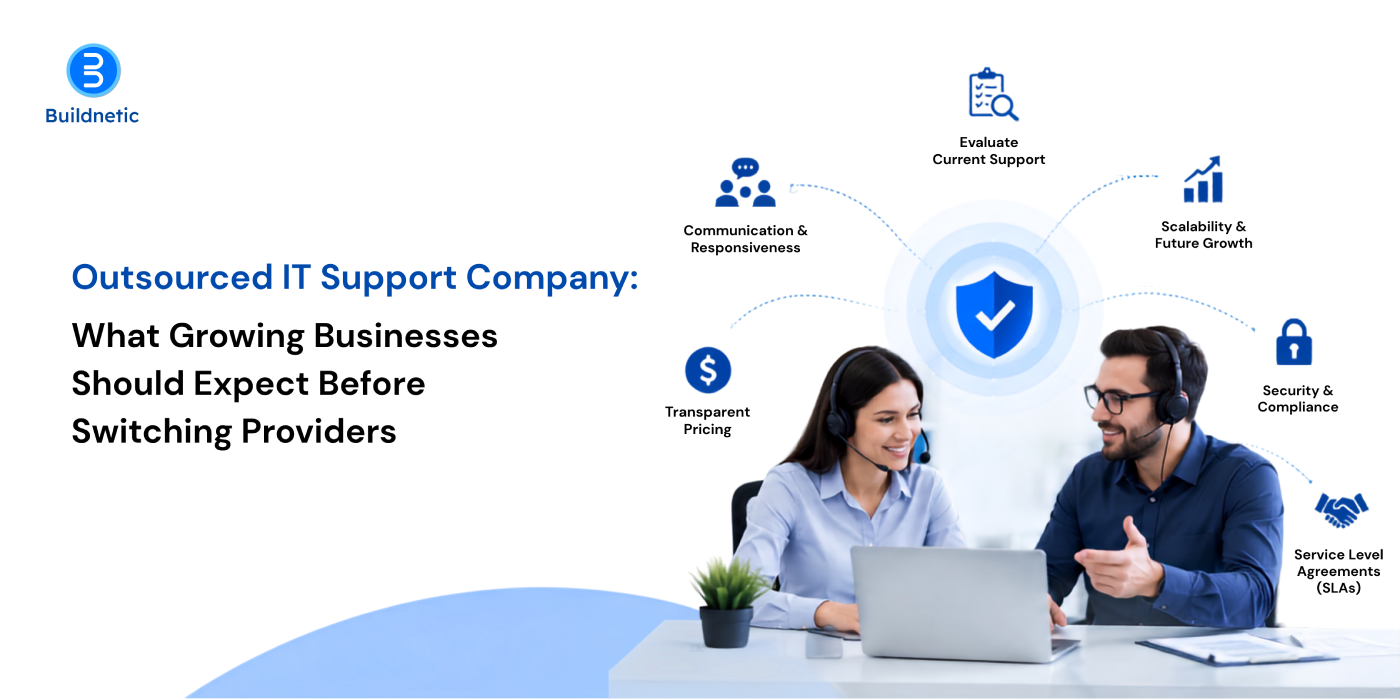 Outsourced IT Support Company: What Growing Businesses Should Expect Before Switching Providers
Custom Website Development Company: 8 Features Your Business Website Should Not Compromise On
Here’s the thing about business websites: looking aesthetic is honestly the easy part. What’s harder is building something that actually helps people, they land on your page, find what they came for, feel like they can trust you, and then reach out to your team. And if the site’s slow or confusing, none of that happens. Doesn’t matter how good your offer is.
That’s really why so many businesses end up going with a custom website development company instead of a template. It gives you room to build the site around how your customers actually behave, not the other way round. But custom doesn’t automatically mean good. You still need the fundamentals in place. So let’s get into what those actually are.
Mobile-Friendly Design Across Every Screen
Think about how you browse the internet yourself. Probably on your phone half the time, right? Your customers are no different. Someone might check you out on their phone during a commute and then pull the site up again later on a laptop, and both times it needs to just work.
This is where good responsive web design services earn their keep. It’s not about squishing a desktop layout until it fits a smaller screen, that’s the lazy version. It’s making sure buttons are actually tappable, forms don’t turn into a nightmare on a 6-inch screen, and images don’t take forever to load on mobile data.
Fast Page Loading
People are impatient. A few extra seconds of loading and they’re gone, and you never even get the chance to make your case. Speed isn’t just about that first impression either, it affects how smoothly someone can click around once they’re already on the site.
The biggest gains usually come from a handful of fixes: compressing images, minifying CSS and JavaScript, setting up browser and server caching, and choosing a host that doesn’t cut corners on server resources. And here’s a tip a lot of businesses miss, don’t just test speed on the office Wi-Fi. Try it on an actual mobile connection, maybe even a slow one, because that’s closer to what a lot of your visitors are dealing with.
Simple and Useful Navigation
Nobody’s going digging through six different pages just to find your contact number. If they can’t find it in a few seconds, a good chunk of them will just leave.
Keep your menu labels boring and obvious, services, about, contact, resources. Save the clever wordplay for somewhere else. It also happens to help search engines understand how your pages fit together, so there’s a nice side benefit there too.
Security Built into the Website
You really don’t want to be thinking about security after something’s already gone wrong. It needs to be implemented from the start,such as, protection against outdated plugins, weak logins, malicious scripts, the usual stuff hackers go after.
SSL certificates, secure forms, regular software updates, backups that actually work, access controls, some kind of monitoring in place, none of this is optional anymore. And if you’re handling anyone’s payment details or personal information, the bar needs to go up even further.
SEO-Ready Technical Structure
An aesthetic website can still be completely invisible on Google if the technical side is full of gaps. Search engines need to be able to crawl your pages and actually make sense of them.
That means clean URLs, a logical heading structure, good internal links, an XML sitemap, proper metadata, canonical tags sorted out, all of it. Get this right while you’re building the site, not six months later when you’re paying someone to sort it out.
Clear Conversion Opportunities
Not everyone who shows interest is ready to make a purchase immediately. Some just want a quote. Some want more information. Some are still deciding if you’re even the right fit.
Give people an easy next step at every stage, whether that’s a quick enquiry, a pricing request, or a call. The trick is knowing when to ask. Pop up too often and it starts to feel pushy, so let your calls to action show up where they actually make sense.”
Easy Content Management
Businesses change. Services get added, old ones get dropped, prices shift, and someone needs to be able to update the site without calling a developer every single time.
A decent CMS lets your team handle the small stuff themselves. Before picking one though, it’s worth thinking about who’s actually going to be logging in and making changes, and how much the site is likely to grow over the next year or two.
Analytics and Future Scalability
Your site should be telling you what’s really happening, not what you’re guessing is happening. Which pages people spend time on, where they bail, what actually leads to an inquiry, all of that’s sitting in your analytics if you’re paying attention.
That data should be shaping your decisions, not just sitting there unused. And the site itself needs enough flexibility to grow with you, new services, new pages, new integrations, whatever comes next.
Good choice. Here’s the full conclusion under that heading, with the first paragraph tweaked slightly so it echoes “basics”:
Get the Basics Right, and the Rest Follows
A good business website isn’t built on design alone. The real work happens behind the scenes: fast-loading pages, clear menus, solid security, and a structure Google can actually read. Get those right and everything else, from design to conversions, has something solid to stand on.
So when you’re talking to a custom website development company, look past the portfolio. Ask how they handle mobile performance, security, SEO and analytics, and what support looks like after launch. A website isn’t finished the day it goes live. It needs looking after as your business grows.
That’s how Buildnetic approaches every project. We start by understanding your business and your customers, then build a site that fits them, not a one-size-fits-all package. If you’re planning a new website or rethinking the one you have, let’s talk.”
FAQs
- Why is custom website development useful for businesses?
A custom website is built around how your business works and how your customers behave. That means better performance, tighter security, and room to add new features as you grow, without being boxed in by a template. - What makes a website responsive?
A responsive website uses flexible layouts, scalable images, and CSS media queries to adjust automatically to any screen size, whether that’s a phone, tablet, or desktop. The content stays easy to read, buttons stay easy to tap, and menus adapt so visitors don’t have to pinch, zoom, or scroll sideways. - Should SEO be considered during development?
Yes, SEO should be part of the build from day one. Things like URL structure, heading hierarchy, internal linking, page speed, and XML sitemaps are much easier to get right during development than to fix after launch, when changes can mean redirects, lost rankings, and extra cost. - How can businesses improve website performance?
Start by running your site through tools like Google PageSpeed Insights to see how it scores on Core Web Vitals. From there, the usual fixes are compressing images, removing unused code and scripts, enabling caching, using a CDN, and choosing reliable hosting. Performance changes as you add content, so it’s worth checking regularly. - How often should a business website be reviewed?
A quick check on speed, security updates, and backups should happen monthly, with a deeper review of content, SEO, and analytics every quarter. A full audit once a year helps you spot bigger issues and decide whether the site still fits where your business is heading.
Remote IT Support Services: How Fast Can Businesses Resolve Critical IT Issues?
When something critical breaks at your IT side, every minute you lose adds up. A server going down, an app your team can’t get into, a network outage, a security scare, any of these can bring work to a halt for employees and disrupt things for customers too. If your business runs on technology (and who doesn’t, these days), sitting around waiting for someone to physically show up isn’t always an option.
This is exactly where remote IT support earns its keep. Technicians can log in from wherever they are, dig into what’s gone wrong, and in a lot of cases get things back up without ever stepping foot in your office.
How Quickly Can Remote IT Support Resolve IT Problems?
Honestly, it depends on what you’re dealing with. A forgotten password or a misconfigured setting? That could be sorted in minutes. A serious network failure or a server that’s gone down hard? That’s going to need more digging.
The advantage of remote support is that technicians can start the moment you report an issue, no travel time, no waiting around. They get into your systems securely, pull up logs, check configurations, restart whatever needs restarting, and troubleshoot connected devices, all without needing to be in the room.
For a business, that gap between “something’s wrong” and “someone’s actually fixing it” shrinks considerably.
Which IT Problems Can Be Fixed Remotely?
Not everything needs a technician standing at your desk. A surprising number of everyday IT headaches can be handled entirely from a distance, including:
- Software errors and application failures
- Email and account access problems
- Printer and device configuration issues
- Network connectivity problems
- Operating system errors
- Server and cloud application issues
- User access and permission problems
- Routine security and system updates
Remote troubleshooting really shows its value when several people run into the same problem at once. Rather than going desk to desk, an IT team can trace it back to the source and fix it there.
When Does an IT Issue Require Onsite Support?
That said, remote support has its limits. Hardware that’s physically failed, damaged equipment, cabling issues, certain network problems tied to physical infrastructure, these usually need someone on site.
But even then, a remote diagnosis first can be worthwhile. A technician can figure out whether a visit is actually necessary, get a good sense of what the problem likely is, and make sure whoever shows up onsite already knows what they’re walking into and what to bring.
That alone can cut down on wasted trips and speed up the whole process.
How Does Remote IT Support Help During Cybersecurity Incidents?
When a business suspects it’s dealing with a cyberattack, speed matters more than almost anything else. An infected device, a compromised account, strange activity on the network, none of that can wait for the next scheduled IT check-in.
Remote technicians can jump in to isolate the affected devices, lock down compromised accounts, apply security controls, dig into what’s actually happening, and start the recovery process. Many businesses pair this with dedicated cybersecurity services for enterprises, layering on stronger monitoring, threat detection, and access controls so incident response is faster too.
The goal isn’t just getting systems back online. It’s making sure the same weak spot doesn’t cause the same problem again.
What Makes Remote IT Support Effective?
Being fast doesn’t count for much if nobody’s actually figured out what’s wrong first. That’s the real issue. A support setup that works usually has a few things going for it, tickets don’t just pile up, they get sorted by what actually matters. Someone’s watching the systems all the time, not just when something breaks. The troubleshooting steps are written down somewhere so people aren’t relying on memory. Remote access is locked down the way it should be. And when a problem’s too big to handle right away, there’s an actual path for escalating it, plus someone keeping the affected people in the loop instead of leaving them guessing.
Honestly, the proactive monitoring bit is probably what makes the biggest difference. Most companies only hear about a problem once an employee’s already frustrated and reporting it. But when IT is actually keeping an eye on performance and security in the background, they usually catch the warning signs early, long before it turns into something that actually shuts things down.
How Can Businesses Reduce IT Downtime?
The best way to deal with downtime is to prepare for it before it happens. Regular backups, staying current on software updates, reviewing access permissions, endpoint protection, network monitoring, and recovery procedures that have actually been tested, all of this builds resilience over time.
It also helps to know which systems genuinely can’t afford to go down. A hiccup with some minor, non-essential app is a very different situation from an outage hitting payments, customer records, or communications.
Buildnetic helps businesses think about IT support this way, built around availability, security, and genuinely solving problems, rather than just scrambling every time something breaks.
FAQs
Can remote IT support fix a server problem?
In many cases, yes, a lot of server issues can be diagnosed and resolved remotely. Physical hardware failures are the exception; those typically need someone onsite.
Is remote IT support secure?
It can be, provided the right safeguards are in place: controlled remote-access tools, proper authentication, sensible permissions, encryption, and clear access procedures. What businesses want to avoid is open, unrestricted remote access.
How fast can a critical IT issue be resolved?
There’s no fixed answer here. Simple software or access issues can often be fixed quickly. Major outages or security incidents naturally take longer, since they involve more investigation and recovery work.
Should businesses rely only on remote support?
Not really, a mix works best. Remote troubleshooting handles a large share of issues quickly, while onsite engineers step in for anything involving physical infrastructure.
Can remote IT support prevent future problems?
Yes, through ongoing monitoring, regular maintenance, patching, security checks, and staying ahead of issues before they escalate into something bigger.
Managed IT Support Services: 7 Signs Your Business Has Outgrown Internal IT
For a while, having your own IT person works great. You hire someone good. They learn your network, they know which printer plays up on Mondays, and when something breaks they’ve usually fixed it before anyone notices. That setup takes a lot of companies from ten staff to eighty.
Then it stops working. There’s rarely a big crash that makes the decision for you. It just gets slower. Tickets take hours instead of minutes. The same three problems keep coming back. And the person who used to fix everything now spends most of the week apologising to people stuck in a queue.
The hard part is that none of this feels like a real problem while it’s happening. It feels like a busy few months. Here are seven signs it’s more than that.
1. Everything Runs Through One Person
Try this. If your IT guy handed in his notice tomorrow, could anyone else take over?
For most growing companies, the answer is no. He set up the firewall rules and never wrote them down. The admin passwords sit in his personal password manager. There’s one odd exception on the VPN and only he knows why it’s there. No handover notes, no list of what you own, no map of what connects to what.
That’s not him being lazy. Writing things down is the first job to get dropped when your day is already full. His day has been full for two years.
2. The Routine Jobs Keep Getting Pushed
Which brings us to the work that never gets done.
Updates are three or four months behind. Backups were set up in 2021 and nobody has ever tried restoring one, so you don’t actually know if they work. Accounts for people who left in March are still switched on. The switches are running whatever software came in the box.
None of it causes trouble today. All of it causes trouble later, and usually at the worst possible time.
3. Things Break at Night Now, Not just During The Day
The failures that really hurt happen when nobody’s watching. The overnight sync that quietly stops updating your reports. The payment page that goes down on a Saturday evening. The server that runs out of space at 3 am and takes your app down with it.
Ten years ago, round-the-clock cover was something only big companies worried about. Not any more. A 40-person business with an online store, a few cloud tools and an AWS bill is exposed at the same hours a much bigger company is, just with nobody on shift. This is usually where 24/7 IT support for businesses stops being a nice-to-have. You’re already paying for it anyway, in the form of one person answering WhatsApp at midnight and being half-useless the next morning.
Those quiet hours matter for another reason too. That’s when most security problems start.
4. Security forms are holding up your deals
Sooner or later a big client sends over a security questionnaire before they’ll sign. Forty questions. Sometimes ninety.
Does everyone use two-factor? How fast do you fix serious security bugs? How long do you keep logs? Who gets called during an incident, and within how many hours? Are company laptops managed?
You can answer three or four of them properly. The rest get a vague reply, and then the deal goes quiet while their security team works out how risky you are. The same thing is happening with cyber insurance now, where insurers have stopped taking your word for it.
What makes it annoying is that none of this is complicated. It’s basic upkeep. It just needs someone whose actual job is to stay on top of it, rather than someone who’ll get to it once the queue clears.
5. Your Team has Started Buying its Own Tools
When IT gets slow, people don’t wait around. They sort themselves out.
Sales puts a CRM on someone’s card. Marketing connects three apps to your Google Workspace with permissions nobody checked. A project manager shares a client folder from their personal Drive because the proper one was taking too long. An intern’s laptop, never registered with anyone, has last year’s contracts sitting on it.
On their own, these are sensible decisions by sensible people. Put together, they’re a pile of open doors that nobody has a list of. And every single one started as a way around a queue.
6. IT Costs Turn up as Nasty Surprises
All that mess eventually shows up somewhere finance can see it.
There’s no steady monthly figure for IT at this stage. Just a run of one-off shocks. A licence renewal nobody had in the calendar. Four laptops dying in the same month. A weekend emergency that costs a fortune, because emergency rates are the worst rates going. Your finance team can’t plan for any of it. Neither can you.
At this point, most people decide to hire.
7. Hiring another person hasn’t helped
This is where companies lose about eighteen months and a fair amount of money.
The problem isn’t how much work there is. It’s how many different kinds of work there are. You need someone who knows cloud, someone who knows networking, someone who knows logins and access, someone who knows laptop security, and someone who can push back when a supplier’s helpdesk starts giving you the runaround. No single hire covers that list. Take on three good all-rounders and you still have no real depth, no night cover and no holiday cover.
Managed IT support services fix a different problem to recruitment. You’re not getting another pair of hands. You’re getting a whole team behind you, plus the monitoring tools and the routines that would take you two years and a big budget to build yourself.
What Actually Changes When you Switch
The first few weeks are dull. Mostly the provider goes through everything you’ve got and writes it down. A good one hands you a full list of your kit, your accounts and who has access to what, which is probably something you’ve never seen in one place. That document alone tends to cover the first invoice.
After that, things move from panic to schedule. Updates run on a set cycle. Backups get tested instead of assumed. Someone watches the system while your team sleeps. Tickets go through a proper system with response times agreed in writing, so “urgent” means something rather than depending on who shouts loudest.
Be clear about what it won’t do, though. It won’t fix a badly built app, and it won’t turn a bad software decision into a good one. If your main platform is the problem, that’s a rebuild conversation, not a support one.
When you’re comparing providers, push hard on four things. Are the response times in the contract or just on the website? Do you get named engineers who learn your setup, or a different person every time? Who owns the documentation, you or them? And what happens, in practice, if you want to leave? Anyone who answers that last one comfortably is usually fine on the rest.
Questions People Ask Before Making the Move
- When should a business move from internal IT to managed IT support services?
Most companies hit this somewhere between 50 and 250 staff, though size matters less than how complicated your setup is. The clearer sign is when your IT lead can’t get through the routine work, like updates, backup tests and writing things down, because tickets eat the whole week. Once that work has been put off for two or three quarters running, hiring another all-rounder rarely fixes it.
- Is 24/7 IT support worth it for a small business?
It depends on whether your systems make money or move data outside office hours. If you run an online store, overnight jobs, cloud infrastructure or teams in different time zones, you’re already exposed at 2am whether anyone is watching or not. If everything genuinely stops at 6pm and starts again at 9am, office-hours cover with an on-call number is usually enough and a lot cheaper.
- How much do managed IT support services cost?
Most providers charge per user per month or per device per month, with different tiers based on response times and whether security is included. What moves the price is the size of your setup, how many cloud platforms you run, whether nights and weekends are covered, and any compliance rules you have to meet. Compare quotes on what’s actually in the base tier rather than the headline rate, because fixes and projects are often billed on top.
- What’s the difference between managed IT support and break-fix support?
With break-fix you call someone when something stops working and pay by the hour to get it repaired. Managed support is a fixed monthly fee covering monitoring, updates, backups and upkeep as well as the tickets. The real difference is who benefits. A break-fix company earns more when things break. A managed provider has to absorb that cost, so they have every reason to stop it happening.
- Can managed IT support work alongside an in-house IT team?
Yes, and plenty of mid-sized companies do exactly that. Usually the internal team keeps hold of strategy, supplier relationships and anything specific to the business, while the provider takes first-line tickets, out-of-hours monitoring, update cycles and specialist areas like cloud and security. It suits companies whose IT staff are good but permanently buried in the queue.
So Where Does That Leave You?
Not every business here needs to outsource. If one or two of these sounded familiar, you’ve probably got a workload problem you can sort out internally by dropping a few things and giving your IT lead room to breathe.
Four or more is a different story. At that point you’re not short on effort. You’re short on a system, and no amount of goodwill from the person holding it all together is going to close that gap.
If you’re somewhere in the middle and not sure which, talk to our team. We’ll look at your current setup and tell you straight whether managed IT support makes sense right now, or whether you’re fine waiting another six months. We’re happy either way.
Outsourced IT Support Company: What Growing Businesses Should Expect Before Switching Providers
Almost nobody leaves their IT provider because of one disaster. They leave because of a slow build-up of small things. A ticket that took two days when it used to take two hours. The fourth account manager in eighteen months. A bill that keeps creeping up while the service quietly gets thinner.
At some point you start asking around. And that’s usually where it goes wrong, because most companies spend all their energy picking the new provider and almost none on the switch itself. The choice matters, obviously. But the handover is where people actually get hurt.
Here’s what to expect, in the order you’ll run into it.
Work out Why You’re Really Leaving
Before you speak to anyone, write down the reasons. Not a vague “they’re not great any more.” Actual examples with dates.
Do that and you’ll usually spot a pattern. Sometimes it’s response times. Sometimes it’s that you’ve grown and they haven’t, so nobody there can answer a cloud or security question properly. Sometimes it’s the opposite, and they’ve grown so much that you’ve become their smallest client. That one is common and nobody says it out loud. A provider built around 500-seat companies will always put a 40-seat company at the back of the queue, whatever the contract says.
This list becomes the thing you judge new providers against. Skip it and you’ll end up buying the same problem with a different logo on the invoice.
Find Out Who Holds Your Keys
Now the job most people don’t think of until it’s too late.
Go and check who actually owns your stuff. Your domain name, and which registrar account it sits in. Your Microsoft 365 tenant, and whether you have a global admin login that isn’t your provider’s. The firewall admin password. The backup console. Your software licences, which may well have been bought through their reseller account rather than yours.
There’s a good chance some of these are in your provider’s name. That’s usually not sinister. It was quicker to set up that way years ago and nobody was thinking about the ending. But it does mean your exit runs at whatever speed they feel like.
Ask about it now, in writing, while you’re still a happy customer and there’s no tension. The answers you get will tell you plenty. A provider who sends the list back within a week is one thing. A provider who goes quiet is another, and you’ve just learned something useful.
Judge New Providers by the Questions They Ask
Once you know what you own, you can start having conversations. Those conversations tell you more than the proposals do.
Be wary of anyone who quotes you within a day based on headcount alone. That’s a price, not a plan. A serious outsourced IT support company will want to look at your setup first. They’ll ask what breaks most often, what your growth plans are, whether you have compliance obligations, what your last security incident looked like. Some of those questions you won’t be able to answer, and that’s fine. The point is that they asked.
The other good sign is when they tell you something you didn’t want to hear. That your server is past saving. That your backup setup isn’t going to survive an audit. Anyone who agrees with everything in a sales meeting will also agree with everything after you sign, which sounds pleasant and isn’t.
Ask for references from clients your own size, in roughly your industry. Not their biggest name. If you’re a 30 or 50 person business, you want a provider whose small business IT support solutions are a real part of what they do, not a stripped-down version of an enterprise package.
The First 90 Days, Honestly
Say you’ve hired a team. Here’s the part that nobody warns you about.
The first month is mostly discovery. They’ll put monitoring agents on your machines, take over admin access, and write down what you have. During this period the service will feel worse than what you left. That’s not a bad sign. They don’t know your environment yet, and the person who did know it is no longer answering your calls. Expect the dip and plan around it.
Around week five or six they’ll come back with a list of everything they’ve found. Old servers, missing updates, accounts that should have been closed years ago, backups that don’t work. This is the moment relationships turn sour, because a chunk of that list will be chargeable project work rather than support. If nobody discussed it upfront, it feels like a bait and switch. Ask before you sign what usually turns up in the first audit and what it typically costs to fix.
By month three things settle. Tickets get answered at the speed you were promised, reports start arriving, and you can finally judge whether the decision was right.
Two practical bits. Don’t switch during your busiest trading period, and don’t do it in the same month as any migration. If you can afford a two or three week overlap with the old provider, take it. Paying twice for a few weeks is much cheaper than a bad handover.
Where the Price Surprises Hide
Which brings us to money.
The monthly rate is rarely where people get caught out. It’s everything around it. There’s often a one-off onboarding fee, which is fair enough given the work involved, but it should be on the table early. Then there’s the line between support and projects, and that definition is where most billing arguments come from. Get specific examples of what falls on each side.
Check whether you’re charged per user or per device, then count both, because the cheaper-looking model isn’t always cheaper for you. Check after-hours rates, the minimum term, and whether there’s an automatic annual price increase written in. And ask a direct question: on average, how much do their clients spend on out-of-scope work each year, on top of the fee? A confident provider will give you a number.
The parts of the contract worth reading twice
Most of the above should show up in the agreement, which usually gets less attention than it deserves.
Four things to look at. First, response times, and whether that means responding or fixing, because they’re very different promises. Also check who decides how urgent a ticket is, you or them. Second, documentation. It should be written in a form you can read and handed over whenever you ask. Third, your notice period and what leaving actually involves, including whether admin rights get transferred and how quickly. Fourth, who holds your licences and tenants when it’s over.
A provider who’s relaxed about exit terms is usually one who’s confident you won’t want to use them. A provider who gets cagey has told you something.
What Switching Won’t Fix
It’s worth being clear about the limits.
A new provider won’t rescue an application that was badly built in the first place. They won’t make a ten year old server safe. They can’t make your staff follow a process they’ve been ignoring for years. And if nobody inside your business owns IT decisions, the new lot will inherit exactly the same vacuum the last lot dealt with. Somebody at your end still has to be able to say yes, approve, spend and hold the provider to account. Without that, you’ll be having this same conversation again in two years.
Before you Start Calling Providers
Do two things this week. Find out who owns your domain and your Microsoft 365 tenant. And write down your real reasons for leaving, with examples.
Those two jobs will do more for the outcome than any amount of proposal comparison. The first decides how smoothly you can leave. The second decides whether you’re solving the actual problem or just moving it.
If you want a second opinion on where your current setup stands, have a chat with our team. We’ll go through it with you and give you a straight answer about whether switching is worth the disruption right now. Sometimes it isn’t, and we’ll say so. You can also read more about how our IT support works if you’d rather look first.
FAQs
- How long does it take to switch to a new outsourced IT support company?
Plan for eight to twelve weeks from signing to feeling settled. The technical handover, moving admin access and deploying monitoring, usually takes two to four weeks. After that comes documentation and the first round of fixes. Anyone promising a complete switch in a week is either working with a very simple setup or skipping the discovery work you’re paying for.
- Will we lose service while we switch providers?
You shouldn’t lose service, but you should expect it to feel slower for the first few weeks while the new team learns your environment. The genuine risk isn’t downtime, it’s a gap in cover if your old contract ends before the new provider has full access. Keep a short overlap between the two if your budget allows.
- How much should small business IT support solutions cost?
Most providers price per user or per device per month, with tiers depending on response times and whether security and after-hours cover are included. What moves the number is the size of your setup, how many cloud platforms you run, and any compliance requirements. Compare what sits inside the base tier rather than the headline rate, since fixes and projects are usually billed separately.
- Can we leave our current provider mid-contract?
Usually only by serving notice and paying out the remaining term, unless they’ve breached the agreement. Read the termination clause before you start the process. Even where you’re free to go, most contracts require 30 to 90 days’ notice, and that clock should start after you’ve secured your new provider, not before.
- Should a 30-person company hire in-house instead?
One internal hire gives you someone who knows your business, but no cover for holidays, nights or specialist areas like cloud and security. For most companies under about 60 staff, a provider works out better on both cost and coverage. Above that, a mixed setup often makes sense, with someone internal owning decisions while a provider handles the day-to-day.
Why Hiring Dedicated Developers is Smarter Than Outsourcing in 2025
In today’s fast-paced digital world, businesses can no longer afford to compromise on flexibility, innovation, or delivery speed. With 2025 already redefining the rules of software development, companies must rethink traditional outsourcing methods and explore smarter alternatives. One strategy standing out as a clear winner is to hire dedicated developers in 2025 a model that offers more control, commitment, and value than conventional outsourcing.
At Buildnetic, we have seen firsthand how the dedicated developer model is transforming the way companies build, scale, and maintain software. If you’re a tech-driven organization looking for better outcomes, this model is more than just a trend—it’s a necessity.
The Shortcomings of Traditional Outsourcing
Traditional outsourcing often feels like a quick fix, but in 2025, speed without quality is no longer acceptable. Outsourcing typically means working with third-party vendors who juggle multiple clients, which limits your project’s attention and customization. Misaligned goals, communication breakdowns, and hidden costs can lead to delivery delays and compromised quality.
Furthermore, the lack of transparency and control in outsourcing relationships can result in codebases that are hard to maintain, team instability, and difficulty integrating with your existing infrastructure or agile workflows. These challenges make businesses vulnerable, especially when product cycles need rapid innovation.
Why the Dedicated Developer Model Wins in 2025
The dedicated developer model is different it’s about long-term collaboration, alignment, and continuous improvement. When you hire dedicated developers, you get full-time professionals who work exclusively on your project, following your culture, timelines, and development standards.
Here’s why more companies in 2025 are choosing dedicated development teams over outsourcing:
1. Deeper Project Understanding
Unlike outsourced developers who are often project-based and short-term, dedicated developers are immersed in your business goals. They gain a deep understanding of your systems, architecture, and long-term vision. This results in fewer errors, faster onboarding, and better decision-making during development.
2. Full Control and Flexibility
Hiring a dedicated developer gives you direct control over task management, performance tracking, and progress reviews. You can adapt team size, skills, and schedules as per your evolving project needs—something that’s nearly impossible in rigid outsourcing contracts.
3. Stronger Communication and Collaboration
In 2025, remote collaboration tools have evolved, enabling seamless communication with your dedicated developers. Daily stand-ups, real-time messaging, sprint planning, and shared documentation are all streamlined, making the team feel like an extension of your in-house setup.
4. Long-Term Cost Efficiency
While outsourcing may appear cheaper upfront, it often leads to rework, integration issues, and higher maintenance costs. With dedicated developers, you invest in quality from day one. The consistency and long-term productivity offset the initial cost and save money in the long run.
5. Enhanced Data Security
Security is a major concern in the digital age. A dedicated team ensures better control over your sensitive business data, adhering to strict security protocols and compliance requirements. This level of protection is often lacking in standard outsourcing models.
Why Buildnetic is the Right Partner
At Buildnetic, we specialize in helping global businesses hire dedicated developers in 2025 who are not just technically sound but also culturally aligned with your business values. Our agile engagement model ensures that you have the right talent with the right skills, working exclusively for you, under your guidance.
We offer full-stack developers, mobile app engineers, DevOps experts, and more ready to integrate into your ecosystem with minimal friction. With Buildnetic, you don’t just get developers—you get innovation partners who are invested in your success.
Conclusion
The future of development isn’t about outsourcing to the cheapest bidder; it’s about building strong, accountable, and scalable teams. By choosing to hire dedicated developers in 2025, you unlock higher quality, faster delivery, and a collaborative environment that fosters true digital transformation.
If you’re ready to ditch outdated outsourcing and embrace a smarter model, Buildnetic is here to help you build, grow, and lead.

Why Your Competitor Just Switched to Dedicated Developers (And You Should Too)
In today’s fast-evolving digital world, businesses are under constant pressure to innovate, scale quickly, and reduce time-to-market. The companies that lead their industries have one thing in common: they stay agile and invest in tech-driven strategies that give them a competitive edge. One such strategy gaining momentum is the decision to hire dedicated developers.
If you’re wondering why your competitors are making the switch, and if it’s worth considering for your business, the answer is clear: yes, it is. Let’s explore why.
The Dedicated Developer Advantage
When you hire dedicated developers, you’re not just outsourcing a task; you’re investing in long-term productivity, quality, and scalability. Unlike freelancers or ad-hoc project-based developers, a dedicated development team works like an extension of your in-house team but without the overheads and HR challenges.
At Buildnetic, we’ve helped startups and enterprises alike make this transition seamlessly. The result? Faster project execution, lower operational costs, and a sharper focus on core business goals.
Your Competitors Are Already Benefiting
The reason competitors are switching is that they’ve realized that a dedicated development team provides unmatched consistency and flexibility. Here’s how:
1. Uninterrupted Focus on Projects
Dedicated developers work full-time on your project. This means fewer distractions, fewer context switches, and a deeper understanding of your product and objectives. Your competitors are leveraging this focus to roll out updates faster and respond to market demands more efficiently.
2. Cost-Efficient Scaling
Hiring full-time, in-house developers is not only expensive but also time-consuming. Your competitors are saving on recruitment, training, and infrastructure costs by working with Buildnetic’s pre-vetted teams, allowing them to invest more into marketing and product growth.
3. Access to Niche Skills
Whether it’s AI, blockchain, cloud-native development, or cross-platform apps, hiring a dedicated developer from a seasoned IT partner like Buildnetic gives companies instant access to hard-to-find skill sets without the months-long hiring process.
4. Increased Agility and Speed
By hiring dedicated developers, your competitors have streamlined their workflows. They’re deploying features faster, adapting to user feedback in real-time, and keeping their products ahead of the curve. In today’s environment, speed is not a luxury it’s a necessity.
Why You Should Make the Move Now?
If you’ve been facing delays, budget overruns, or skill gaps in your tech team, continuing with the same approach won’t yield better results. Instead, switching to a dedicated development team will:
- Give you better control over your development lifecycle
- Ensure consistent output and fewer communication gaps
- Empower you with a full-stack team that understands your vision
- Provide access to top-tier talent at a fraction of the cost
At Buildnetic, we don’t just offer developers; we offer strategic partners. Our model is tailored for businesses looking to scale without compromising on quality. Whether you need just one expert or a full-fledged team, we align our talent with your timeline, goals, and technology stack.
The Buildnetic Difference
What sets Buildnetic apart from others offering dedicated developer services? It’s our commitment to transparency, technical excellence, and customer success. We offer:
- Flexible engagement models
- End-to-end project visibility
- Seamless collaboration with your internal team
- Strict data security and NDA compliance
We’ve supported clients across the UK, USA, and India in building robust digital products through our dedicated development teams. The impact? Faster go-to-market strategies, improved user experiences, and sustainable growth.
Final Thoughts
If your competitor just switched to dedicated developers, don’t wait to see the results; take proactive steps now. The tech landscape rewards those who adapt swiftly and efficiently. By choosing to hire dedicated developers, you’re future-proofing your business and equipping it with the agility it needs to stay ahead. Let Buildnetic be your partner in that journey.
-
Ecommerce Website Development Agency: What Separates High-Converting Online Stores From Average Ones?
-
Custom Website Development Company: 8 Features Your Business Website Should Not Compromise On
-
Remote IT Support Services: How Fast Can Businesses Resolve Critical IT Issues?
-
Managed IT Support Services: 7 Signs Your Business Has Outgrown Internal IT
-
Outsourced IT Support Company: What Growing Businesses Should Expect Before Switching Providers

Maximizing Efficiency with IT Outsourcing Services: A Guide for Businesses
In today’s fast-evolving digital landscape, companies of all sizes are under pressure to stay competitive, scalable, and cost-effective. One proven strategy that continues to deliver value is IT outsourcing services, a flexible, powerful solution that enables businesses to maximize operational efficiency, minimize overheads, and focus on core competencies. Whether you’re a growing startup or an established enterprise, leveraging the right outsourcing partner can accelerate your business transformation.
What is IT Outsourcing and Why Does It Matter?
IT outsourcing refers to the practice of hiring external service providers to handle various technology functions that may include software development, network management, data storage, cybersecurity, or IT support. Instead of managing everything in-house, companies turn to experienced partners like Buildnetic to gain access to skilled talent, modern infrastructure, and scalable technology — without the heavy investment.
This approach is especially vital for businesses aiming to improve productivity while reducing operational complexities. By outsourcing IT functions, organizations can allocate internal resources more effectively, eliminate the hassle of managing an in-house tech team, and ensure around-the-clock support for mission-critical systems.
Benefits of IT Outsourcing Services for Businesses
1. Cost Optimization
Outsourcing IT operations reduces the need for capital investment in infrastructure, hiring, and training. Companies only pay for the services they use, often at a fraction of the cost of building an in-house team.
2. Access to Expert Talent
Buildnetic provides access to a global pool of skilled IT professionals who bring experience, innovation, and domain-specific knowledge. This reduces the learning curve and improves service quality from day one.
3. Scalability and Flexibility
As your business grows, so do your technology needs. IT outsourcing services allow you to scale operations up or down based on real-time requirements, without having to hire or fire employees internally.
4. Enhanced Focus on Core Business
Delegating IT functions to a trusted partner allows internal teams to stay focused on strategic initiatives, innovation, and customer experience, rather than dealing with daily technical issues.
5. 24/7 IT Support and Security
With IT support outsourcing, businesses gain round-the-clock monitoring, cybersecurity solutions, and real-time issue resolution. This minimizes downtime and enhances system reliability crucial in today’s always-on digital economy.
Choosing the Right IT Outsourcing Partner
Not all outsourcing providers offer the same level of service or transparency. It’s essential to choose a partner that understands your business goals and can align technology solutions accordingly. Buildnetic stands out with its client-centric approach, commitment to quality, and deep technical expertise.
Our tailored outsourcing models ensure that you retain control while benefiting from rapid deployment, proactive support, and cost-effective IT solutions. From initial consultation to post-deployment maintenance, Buildnetic provides end-to-end coverage that empowers your business to thrive in a tech-driven world.
Use Cases: How Businesses Benefit from Outsourcing
- Startups can quickly launch MVPs using outsourced development teams without investing in long-term hiring.
- SMEs benefit from on-demand support and infrastructure management without overstretching internal staff.
- Enterprises reduce IT overheads and improve time-to-market for digital products by collaborating with remote engineering teams.
Final Thoughts: IT Outsourcing as a Strategic Enabler
In a market where technology underpins every facet of business success, outsourcing is no longer just an operational tactic; it’s a strategic enabler. By partnering with Buildnetic for IT outsourcing services, companies gain more than just technical support; they gain a committed team, innovative thinking, and a roadmap to sustainable growth.
Whether you’re looking to streamline operations, innovate faster, or cut IT costs, IT support outsourcing with Buildnetic delivers the performance, flexibility, and expertise your business needs to stay ahead of the curve.

Is Your Tech Stack Killing Your Growth? Here’s What to Fix Now
In today’s fiercely competitive digital system, your tech stack can either be a catalyst for growth or a silent killer. Many businesses unknowingly hold themselves back with outdated or bloated technology stacks that slow down operations, increase costs, and limit scalability. If your company is experiencing stagnant growth despite investments in digital tools, it’s time to ask: Is your tech stack the culprit?
At Buildnetic, a leading IT Consulting Agency in the UK, we help businesses transform their technological infrastructure to unlock agility, efficiency, and long-term success. Here’s how to identify what’s wrong and what you need to fix now.
Signs Your Tech Stack Is Stalling Your Growth
- Integration Nightmares: Do your systems struggle to talk to each other? A fragmented tech stack often leads to data silos, manual workarounds, and inconsistent user experiences. This inefficiency directly impacts customer satisfaction and employee productivity.
- Outdated Legacy Systems: Old technologies may seem “good enough,” but they often lack compatibility with modern platforms and cloud-based solutions. Legacy systems slow down operations and hinder innovation.
- Poor Scalability: If your tools don’t grow with your business, they become liabilities. A rigid tech stack hinders expansion, complicates workflows, and necessitates excessive developer hours for maintenance.
- Rising Maintenance Costs: Maintaining an inefficient stack is expensive. Constant patches, version mismatches, and security updates drain your budget funds that could otherwise go toward innovation and growth.
What do You Need to Fix Now?
- Audit Your Entire Tech Stack: Start with a comprehensive audit. Understand what tools you’re using, where they overlap, and how well they integrate. Look at performance metrics, cost, and user satisfaction. At Buildnetic, we provide in-depth assessments tailored to your specific needs and industry challenges.
- Embrace Cloud-Native Solutions: If you’re still operating with on-premise software, it’s time to rethink. Cloud-native applications offer scalability, flexibility, and real-time collaboration, making your business more agile and cost-efficient.
- Prioritize API-First Tools: Systems that are designed to integrate from the ground up will save you countless hours and costs in the long run. An API-first approach ensures your tools communicate seamlessly, allowing for faster deployment and smoother operations.
- Adopt a Modular Architecture: Microservices and modular platforms help businesses innovate faster by isolating and improving individual components. This allows you to upgrade systems without disrupting your entire ecosystem.
- Invest in Automation and AI: Modern growth requires intelligent automation. From CRM to project management and customer service, automation minimizes manual tasks and boosts output. Buildnetic helps companies harness AI and machine learning to optimize efficiency and decision-making.
Why Partner with Buildnetic?
As an established IT Consulting Agency in the UK, Buildnetic brings unmatched expertise in technology stack optimization, digital transformation, and customized software development. We work closely with startups, SMBs, and enterprises to create lean, scalable, and future-proof systems.
Our hands-on consulting and implementation services help you eliminate the tech clutter, reduce operational friction, and improve your time-to-market. Whether you’re migrating to the cloud, integrating new APIs, or rebuilding your entire tech foundation, we deliver proven results.
Conclusion
In a digital-first world, your technology stack is more than just a support system; it’s the backbone of your business growth. If your current tools are holding you back, it’s time to take a hard look at what’s working and what’s not.
Don’t let outdated tech stall your progress. Partner with Buildnetic, the trusted IT Consulting Agency in the UK, and let us help you build a smarter, faster, and more scalable tech ecosystem through expert technology stack optimization.
-
Ecommerce Website Development Agency: What Separates High-Converting Online Stores From Average Ones?
-
Custom Website Development Company: 8 Features Your Business Website Should Not Compromise On
-
Remote IT Support Services: How Fast Can Businesses Resolve Critical IT Issues?
-
Managed IT Support Services: 7 Signs Your Business Has Outgrown Internal IT
-
Outsourced IT Support Company: What Growing Businesses Should Expect Before Switching Providers